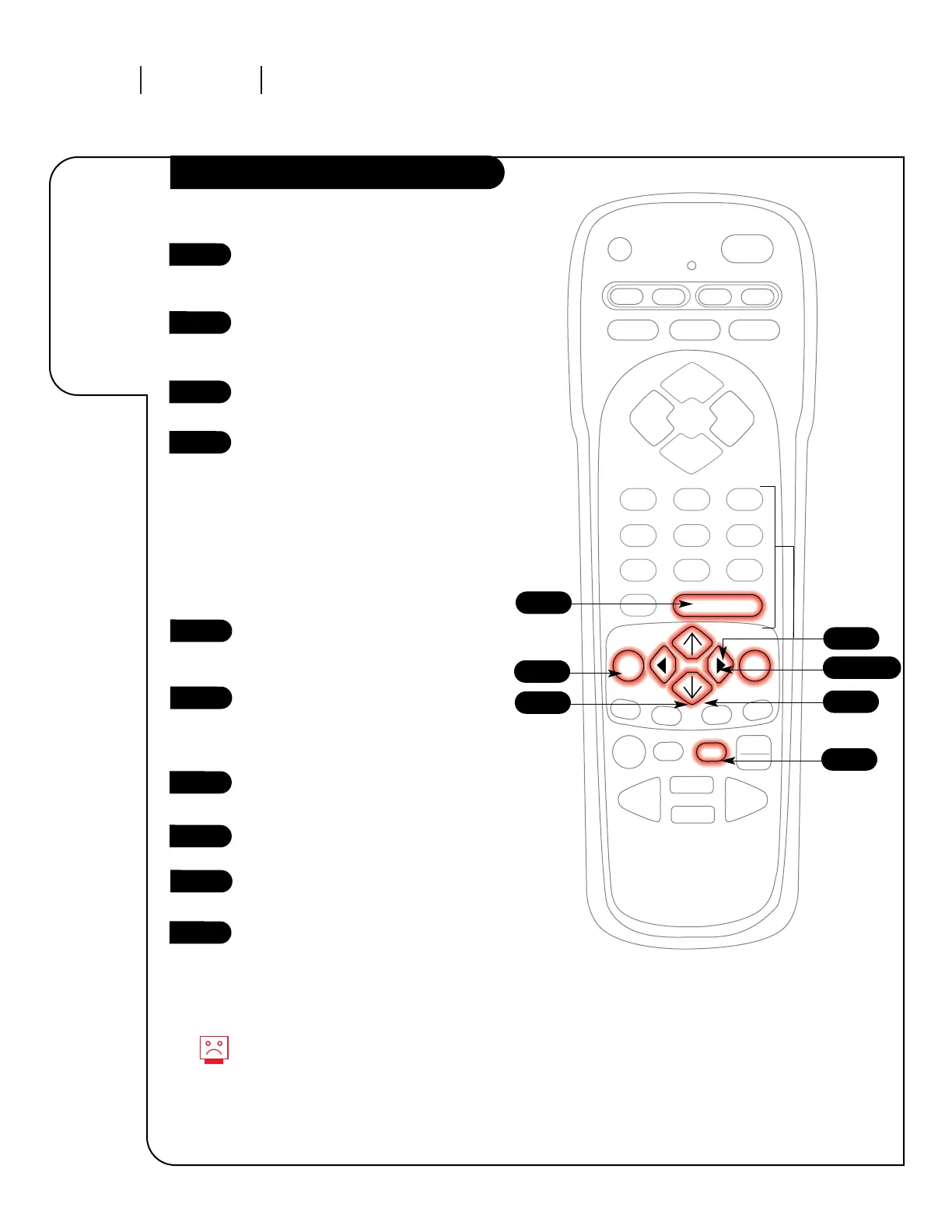
3/4/9
5/8
7
10
1
The On/Off timer will not work
until the Clock on your television
has been set.
Press the MENU key on the remote
control repeatedly so the Special
Features Menu appears.
Using the UP/DOWN arrows on the
remote control, select Timer Setup
on your screen.
Press a RIGHT/LEFT arrow. The Timer
Menu screen will appear.
Sleep Timer: Use the RIGHT/LEFT
arrows to adjust the length of time
until the TV shuts down (select a
countdown from ten minutes to
four hours).
At this point, continue to step
five to set the On Time, or press
ENTER or QUIT to return to
TV viewing.
On Time: Using the UP/DOWN
arrows on the remote control, select
On Time on your screen.
Press a RIGHT or LEFT arrow or use
the NUMBER key pad to enter the
time your TV will automatically
turn on.
Press the TIMER button to select
AM or PM.
Press the UP/DOWN arrow keys to
select On/Off Timer.
Press the LEFT or RIGHT arrow to
turn on the On/Off Timer.
Press ENTER or QUIT to return to
TV viewing or continue program-
ming by repeating the above steps
for Off Time.
1
2
3
4
5
6
7
8
2
Automatically
turn your
Zenith
Entertainment
Machine on
or off.
6
10
9
Note:



 To Next Page