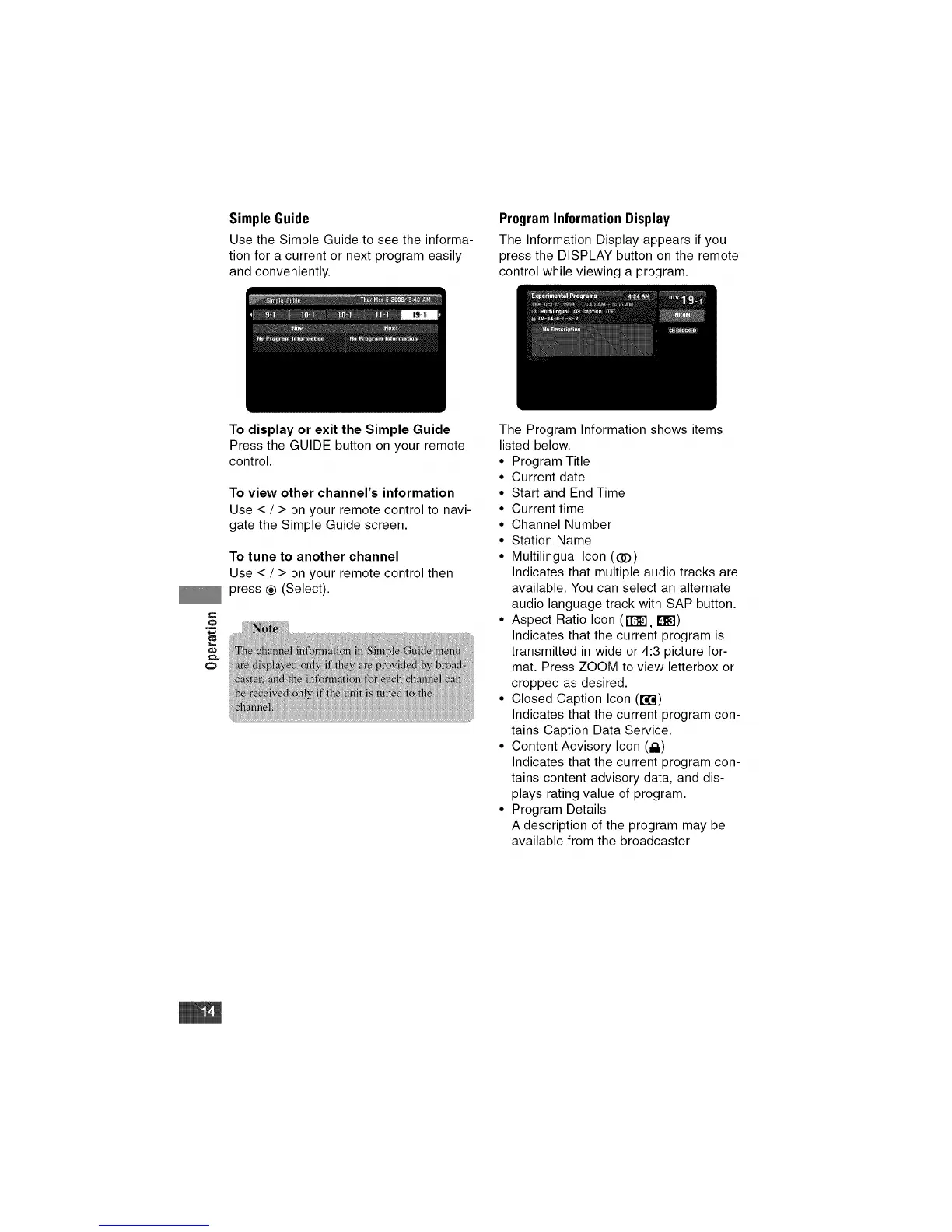
Simple Guide
Use the Simple Guide to see the informa-
tion for a current or next program easily
and conveniently.
Program Information Display
The Information Display appears ifyou
press the DISPLAY button on the remote
control while viewing a program.
€
o
,m
To display or exit the Simple Guide
Press the GUIDE button on your remote
control.
To view other channel's information
Use < / > on your remote control to navi-
gate the Simple Guide screen.
To tune to another channel
Use < / > on your remote control then
press ® (Select).
The Program Information shows items
listed below.
• Program Title
• Current date
• Start and End Time
• Current time
• Channel Number
• Station Name
• Multilingual Icon ((]D)
Indicates that multiple audio tracks are
available. You can select an alternate
audio language track with SAP button.
• Aspect Ratio Icon (g_'3, [_])
Indicates that the current program is
transmitted in wide or 4:3 picture for-
mat. Press ZOOM to view letterbox or
cropped as desired.
• Closed Caption Icon (r,F.I)
Indicates that the current program con-
tains Caption Data Service.
• Content Advisory Icon (i_)
Indicates that the current program con-
tains content advisory data, and dis-
plays rating value of program.
• Program Details
A description of the program may be
available from the broadcaster


 To Next Page