PAGE 7
206-3490-O
Hook Up Your Cable (CATV) to the TV
If you’re using a cable box, leave the TV on
channel 3 or 4 and use your cable box to
change channels.
Remember, when screwing RF cables onto jacks,
clockwise tightens, and counterclockwise loosens
If you’re using a cable box, Auto Program might
only find the channel your cable service is on
(usually channel 3 or 4).
Model H2539Y does not have the MPI card.
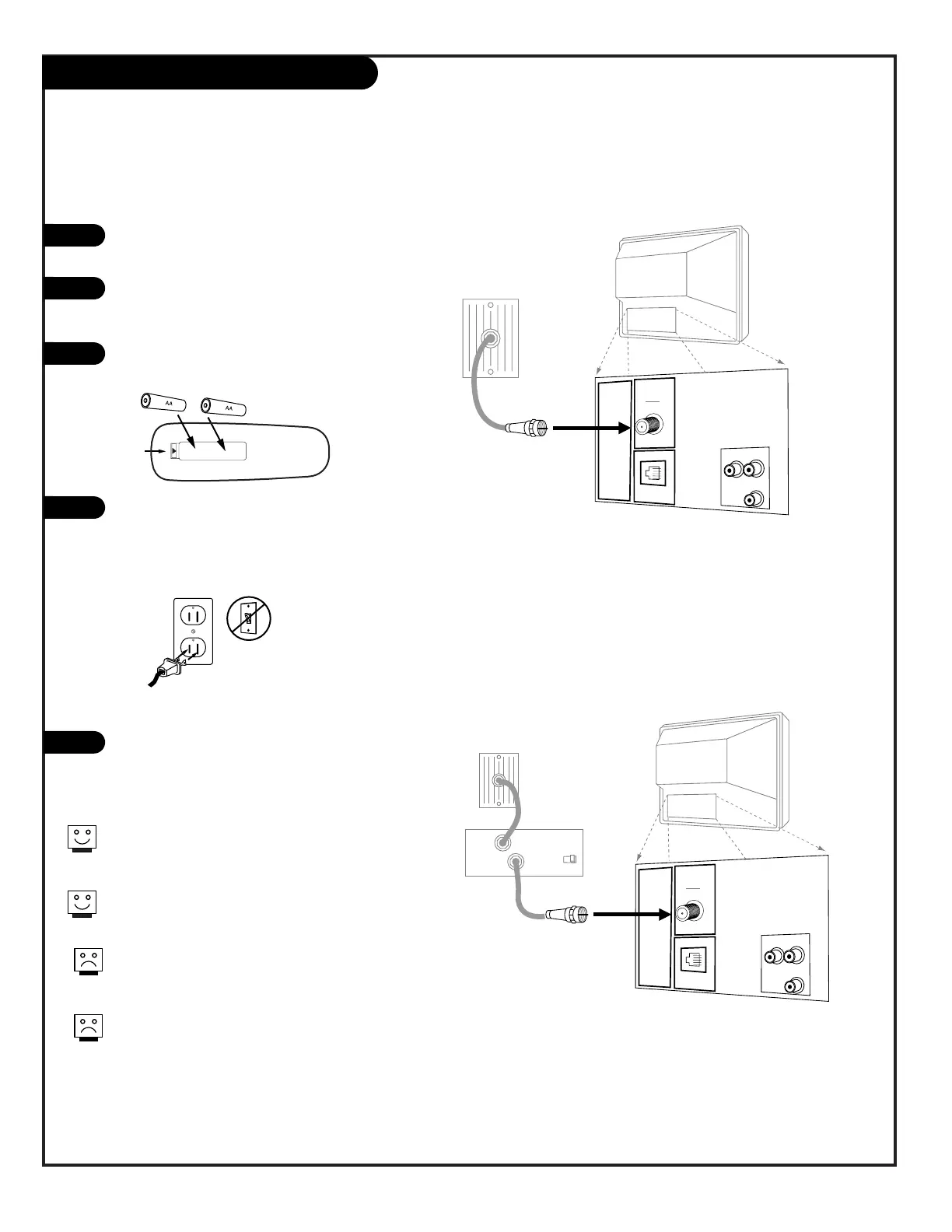
Locate the Antenna/Cable jack on the back of
the Concierge TV.
Connect the cable that runs from the wall
directly to this jack, according to the diagram
to the right.
Remove the back of the remote and put in two
AA batteries.
Plug in the TV. Do not plug it into a switched
outlet. Your Concierge TV is designed to oper-
ate on household current, 120-volt 60 Hertz
AC. Do not attempt to operate it on DC
Current.
Go to page 11 to Auto Program the Concierge
TV.



 To Next Page