206-3492-
O
5/7
3
6
2
4
Indica tor Lig ht
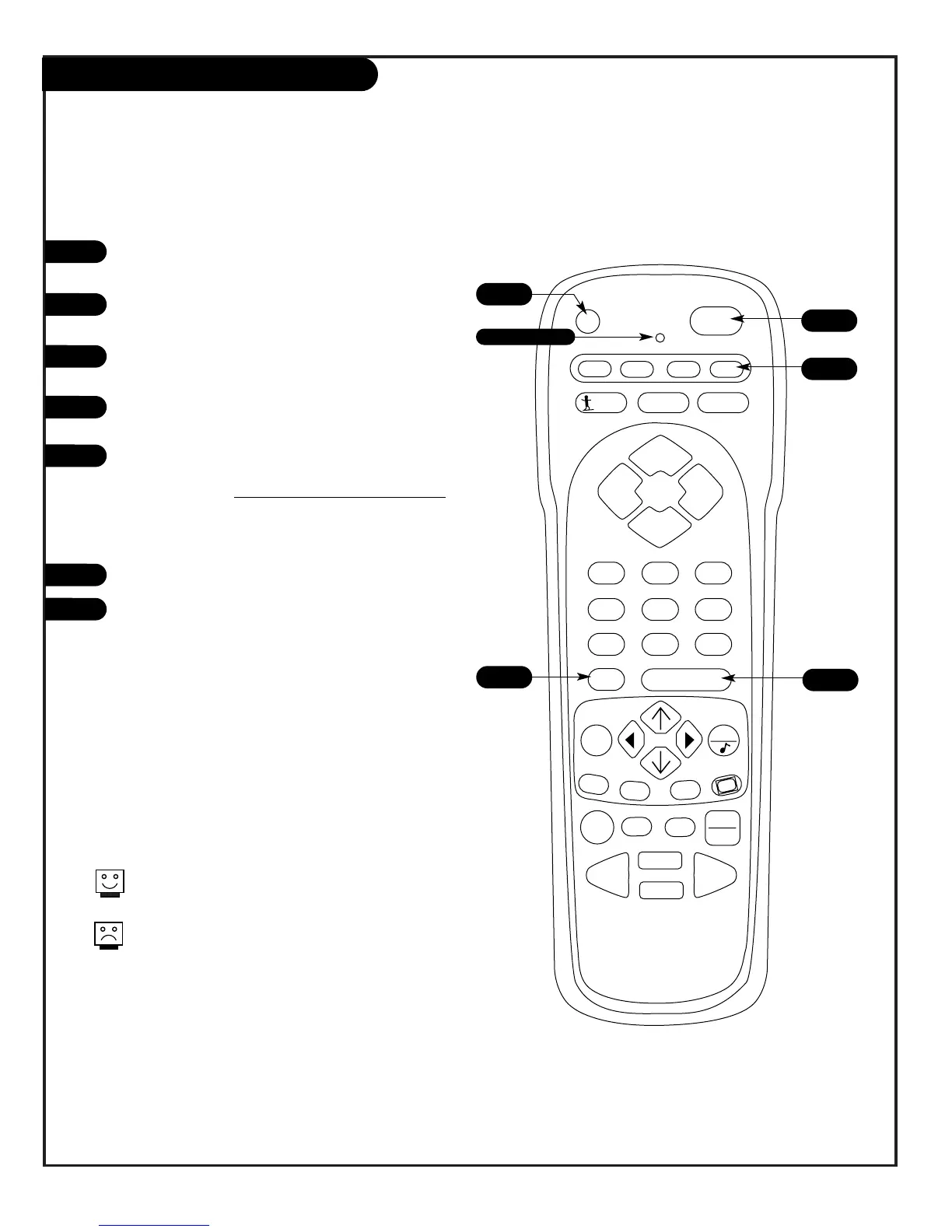
Rem ote Control Auto-Find
Turn on the device you’re progra
mm
ing for the
re
m
ote control.
Pre s s a nd hold the P
R
G
key until the indicator light
turns on.
Pre s s the key for the device you’ re trying to progra
m
(CAB
L
E , VC
R
, A
U
X, TV).
Enter the code 0-0-0 (zero-zero-zero), then press the
E
N
TE
R
key right away.
Ai
m
the re
m
ote at the correct device and press
P
O
W
E
R
. Allow a second to pass, then push the
P
O
W
E
R
key again.
R
epeat un
til the device turns off.
(This is a trial and error process, so it
m
ay be neces-
sary to repeat these steps until the re
m
ote finds your
code. )
Push E
N
TE
R
to save the code.
Pre s s P
O
W
E
R
to turn the device back on.
1
2
3
4
5
6
7
You can quickly get out o f Auto Find by press-
ing
Q
U
IT.
If the indicator light stays on while you push
Powe r, instead of turning off, all the codes
have been tried and your device can’t be pro-
gra
mm
ed.
If Progra
mm
ing the
R
e
m
ote did not find your code, try this procedur e to auto
m
atically find
the code for your device. If your re
m
ote beco
m
es inoperable, go back to “Progra
mm
ing your
R
e
m
ote” and enter the
Z
enith TV code for step five


 To Next Page