OPERATION PAGE 19
Playback
Jog-Shuttle
Operation
(For Special
Video Effects)
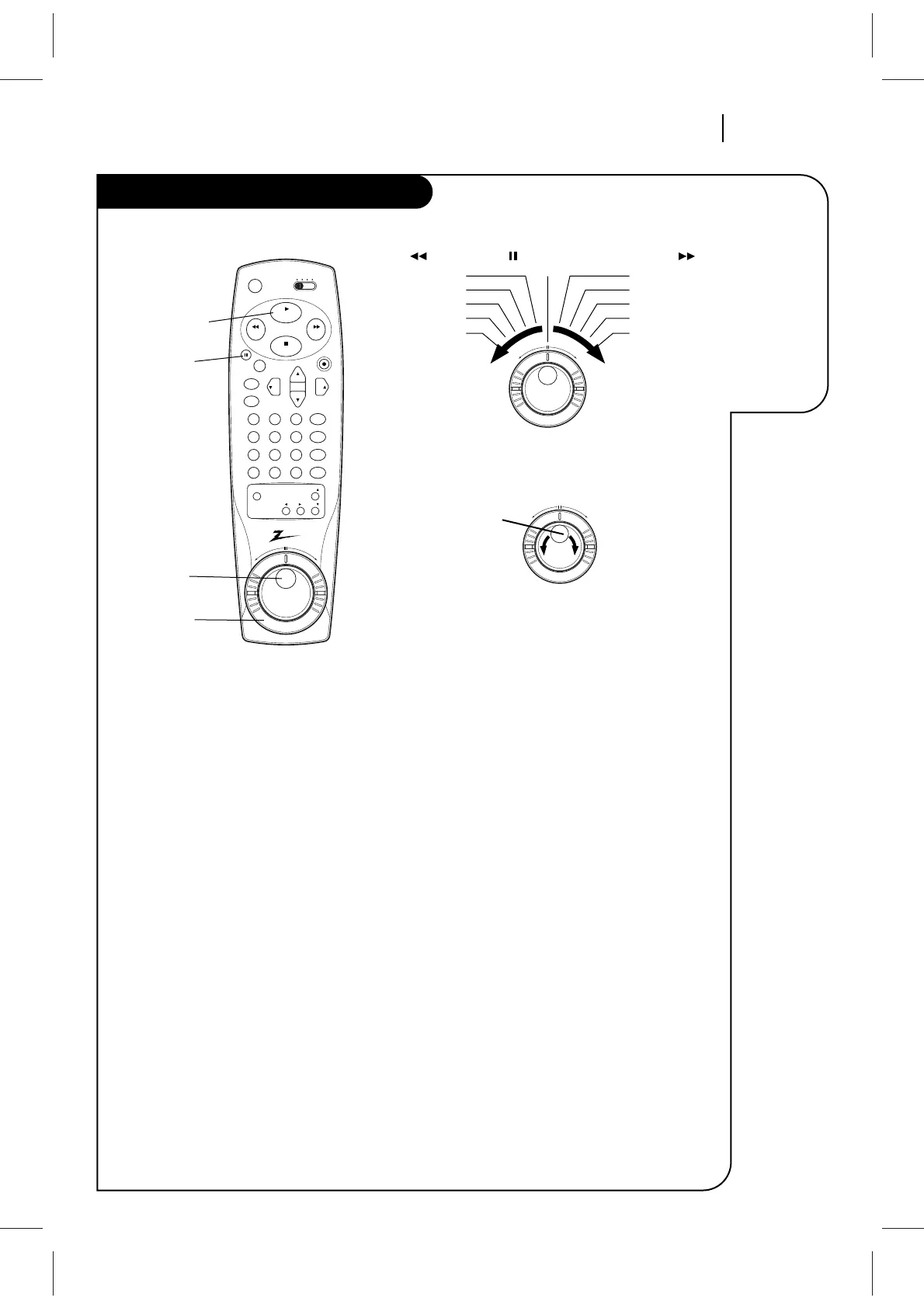
Playback Jog-Shuttle operation
Shuttle Ring Operation
1. Press PAUSE for playback STILL mode.
2. Rotate shuttle ring toward FORWARD to advance
the tape, or toward REVERSE to reverse the tape.
How far you rotate and hold the shuttle ring
determines the speed at which the tape moves.
3. Release the shuttle ring to return to STILL mode.
4. Press PLAY to return to normal playback speed.
NOTES:
■ The Shuttle ring may be used while in both PLAY
and STILL modes. When the Ring is released,
PLAY will resume at normal playback speed.
■ Some of the speeds given in the pictorial above
are not indicated in the VCR Status Display
shown on the TV.
■ Some video “noise” may be present in REV
(Reverse) mode.
■ Tapes recorded at SP (Standard Play) speed have
better quality special effects than tapes record-
ed at EP (Extended play) speed.
Jog Wheel Operation
1. Press PAUSE for playback STILL mode.
2. Move jog wheel with finger toward FWD to
advance tape frame-by-frame, or toward REV to
reverse tape frame-by-frame. Movement of the
jog wheel one “click” moves the tape by one
frame. How “fast” you move the jog wheel deter-
mines how fast the frame-by-frame movement
occurs.
3. Press PLAY to return to normal playback speed.
NOTES:
■ Jog wheel cannot be used for special video
effects while the VCR is in play mode.
■ Tapes recorded at SP (Standard Play) speed have
better quality special effects than tapes record-
ed at EP (Extended Play) speed.



 To Next Page