EasyManua.ls Logo

Zenith VRC420 - Front Panel Controls and Displays; Front Panel Controls Overview; Front Panel Displays and Jacks

Zenith VRC420
36 pages
Print Icon
To Next Page IconTo Next Page
To Previous Page IconTo Previous Page
Loading...
CONTROLS AND DISPLAYS PAGE 13
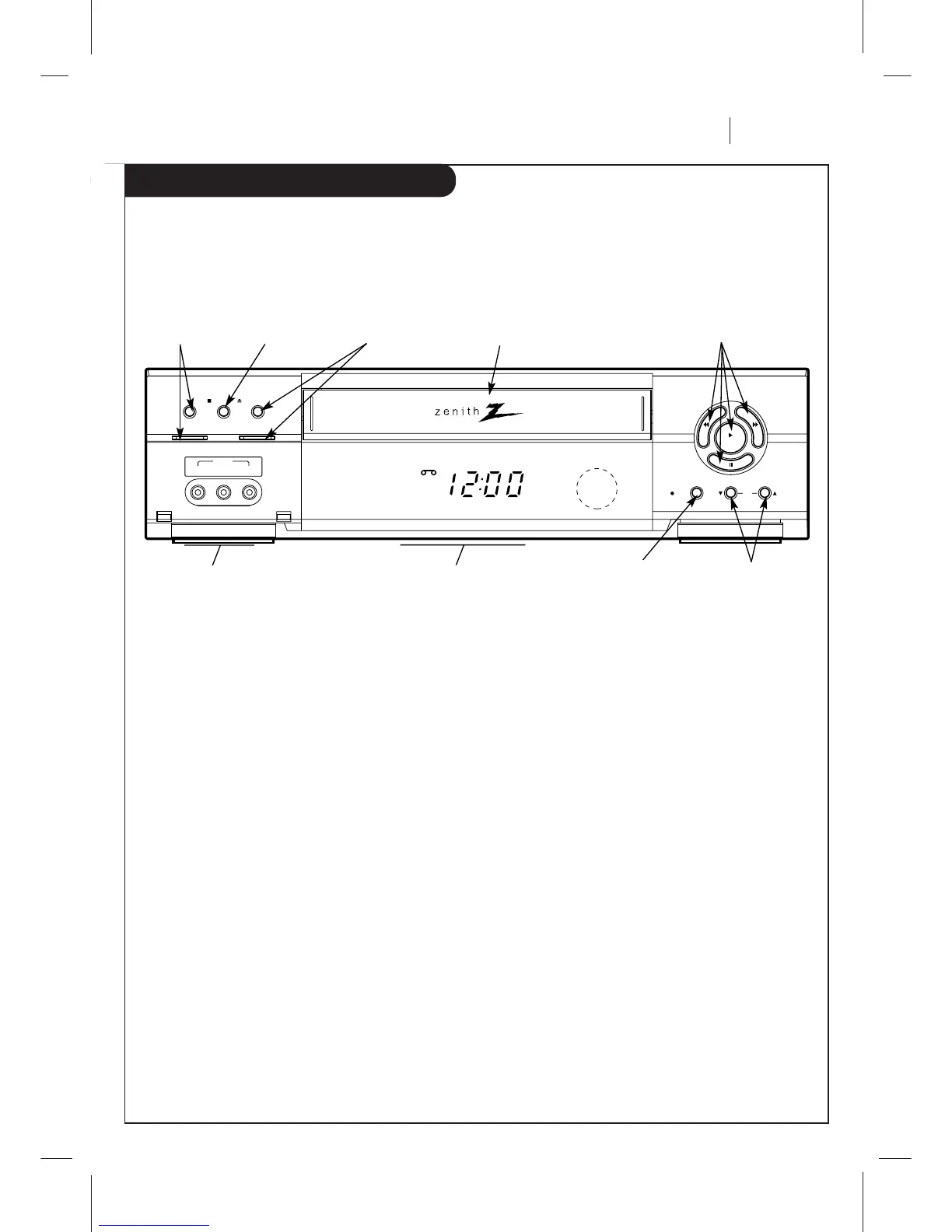
Front Panel Diagram
Descriptions of items you need to know to operate your VCR.
Front Panel Controls
These controls perform basic VCR operationssome of them light up as you use them. The Remote performs basic as well as
advanced VCR operations.
EZ watch
rec/itr
ch
stop/ejectpower
rew f fwd
play
pause
REC
VCR
TIMER
AM
video l - audio - r
aux 2
POWER On/Off
Button
Cassette
Compartment
Channel Up/Down
Selector
Stop/Eject
Selector
PLAY, REW (Rewind), F FWD (Fast
Forward), PAUSE Selector
Message Center Front
Panel Display
Easy Watch Button
and Indicator
REC/ITR
(Instant Timer
Record) Selector
Audio/Video (A/V)
Auxiliary In Jacks
(AUX2)

Related product manuals