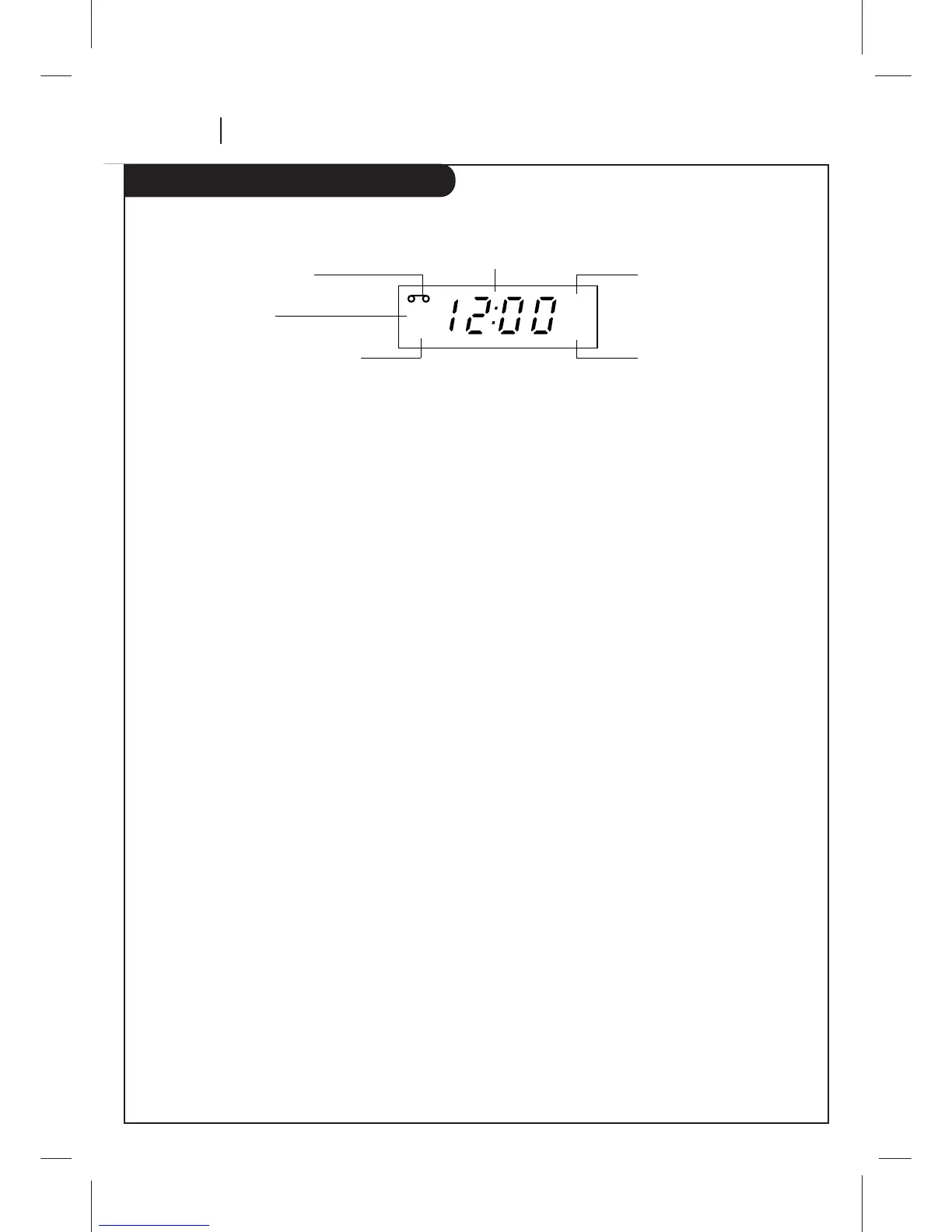
A Cassette is in the VCR
VCR functions are available and
channels are selected at VCR
Clock/Tape operation indicator
VCR is in timer recording
Time is AM
VCR is Recording
Front Panel Display shows which VCR function you are
using. For example, when you press SP/EP, SP or EP appears
to indicate the tape speed. As you change channels, the
channel numbers appear. The current time shows even while
the VCR is off.
Playback Messages
Err — Turn VCR On and OFF to erase “Err” message. If it is
not erased, take VCR to an authorized repair center.
FF (Fast Forward) — Tape is advancing rapidly.
CUE — Tape is advancing rapidly in playback mode for
visual search.
-CUE — Tape is reversing rapidly in playback mode for
visual search.
PLAY — Tape is playing at normal playback speed.
REW (Rewind) — Tape is rewinding rapidly.
SLW — Tape is playing at slow-motion speed.
ST:LL — Playback is halted on one frame.
STOP — Tape rewind or playback is stopped.
Record Message
Err — Turn VCR On and OFF to erase “Err” message. If it is
not erased, take VCR to an authorized repair center.
PAUS — Record mode is halted.
SP or EP — Displays the recording speed.
REC — VCR is recording.
STOP — Recording is stopped.
Tuner Messages
AU_ (Auxiliary_) — Auxiliary channel is selected for view-
ing equipment connected to Audio/Video jacks on front or
rear of the VCR.
ch _ — VCR tuned to Channel _.
HI — VCR is turned on.
BYE — VCR is turned off.
Information appears in the Front Panel Display depending on the VCR function being used.



 To Next Page