EasyManua.ls Logo

Zennox D3941 - Page 7

Default Icon
28 pages
Print Icon
To Next Page IconTo Next Page
To Previous Page IconTo Previous Page
Loading...
7
12. Click Apply (if possible), and then click OK.
Make sure that your computer’s speakers (if not built-in) are plugged into your computer’s audio output and turned on
so you can hear your recording. If your computer has a headphone output, you can use headphones in-place of
speakers.
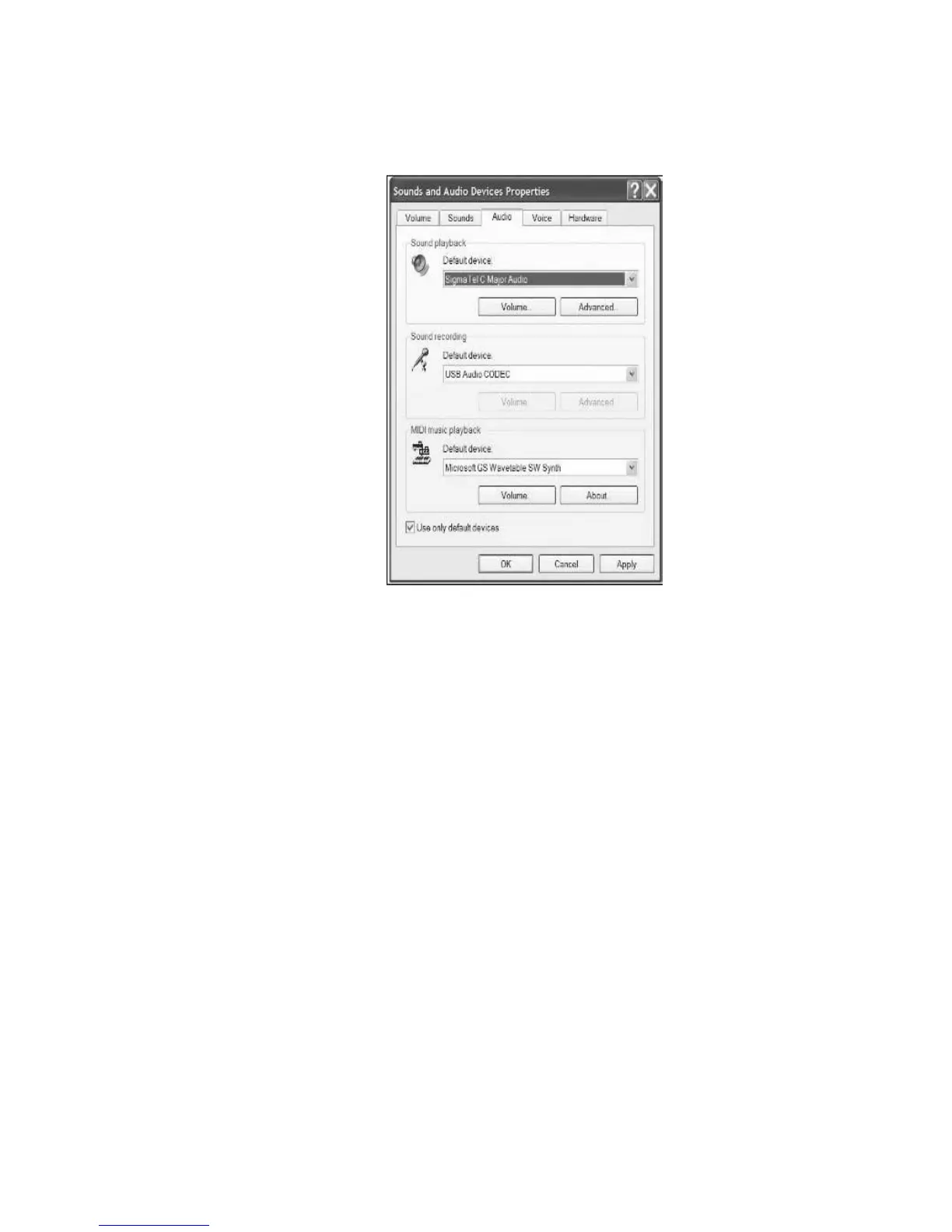
8. Select the Audio tab at
the top of the Sounds
and Audio Devices
control panel.
9. Under Sound
Playback, choose your
internal sound card as
the default device. This
varies by computer but
should not be set to
SSS USB Audio
Device, Modem, or
Microsoft Sound
Mapper.”
10. Under Sound
Recording, select SSS
USB Audio Device for
your default device
this is the converter.
11. Check the box titled
Use only default devices.