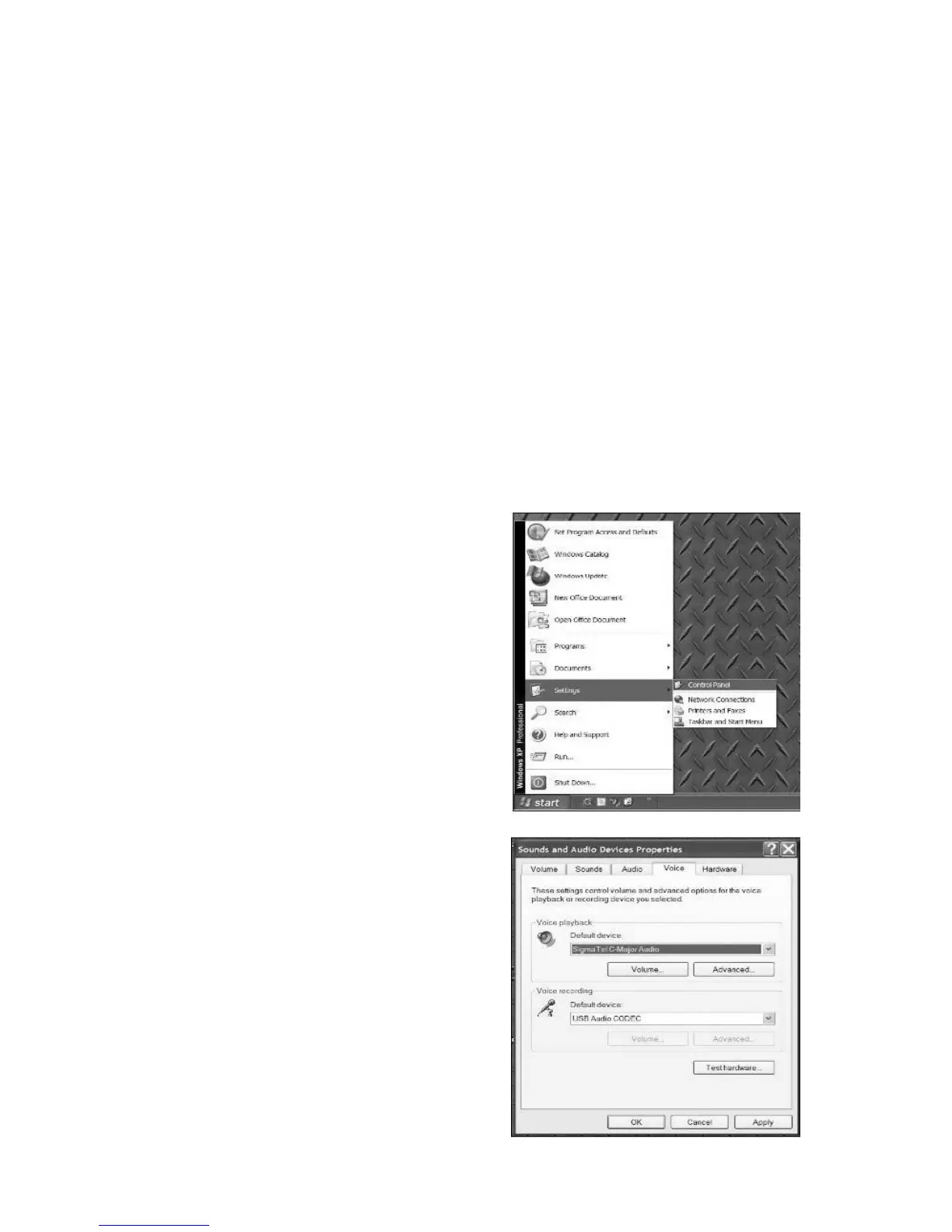
4. In the window that opens, find and
double-click the Sounds and Audio
Devices control panel. (If you don’t
see a choice called Sounds and Audio
Devices, choose the Switch to Classic
View option in the panel on the left of
the window, and the Sounds and
Audio Devices should become
available on the right.
5. Select the Voice tab at the
top of the Sounds and Audio
Devices control panel.
6. Under Voice Playback,
choose your internal sound
card as the default device.
This varies by computer but
should not be set to “SSS
USB Audio Device, Modem,
or Microsoft Sound Mapper.”
7. Under Voice Recording,
select SSS USB Audio
Device for your default
device – this is the USB
Converter. Note the “SSS
USB Audio Device” name
may vary but should contain
the USB part of the name.
1 Close all programs that are
open on your computer.
2 On the bottom left of your
screen, select the Start menu.
3. Select Settings then Control
Panel



 To Next Page