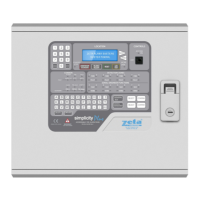
SIMPLICITY PLUS / SIMPLICITY MICRO – ADDITIONAL FEATURES. Software Version :PANEL-R6180 (Plus) R5780 (Micro)
Approved Document No: GLT.MAN-139 PAGE 1
Issue 1.00 Authorised: GH Date: 02/06/2010
CONTENTS
1. Additional Features ............................................................................................................................ 2
2. Reporting new Devices found ............................................................................................................ 3
3. Reduced Loop Simplicity Panels ....................................................................................................... 3
4 CHANGING A ZONE BOUNDARY .................................................................................................... 4
5 CHANGING THE ALARM RESPONSE - SOUNDERS ...................................................................... 5
5.1 Changing Detector Alarm Response ........................................................................................... 5
5.2 Changing MCP Alarm Response ................................................................................................ 5
5.3 Zonal Sounder to Common Sounder Delay ............................................................................... 5
5.4 Associated Sounder Base Settings ............................................................................................. 5
6 CHANGING THE ALARM RESPONSE – I/O UNITS ......................................................................... 6
6.1 Types of I/O UNIT Operation ...................................................................................................... 6
6.2 Setting Default I/O UNIT Operation ............................................................................................. 6
6.3 Setting Individual I/O UNIT Operation ......................................................................................... 6
7 SETTING THE LCD LANGUAGE ....................................................................................................... 6
8 ALARM VERIFICATION ..................................................................................................................... 7
8.1 How Alarm Verification Works ..................................................................................................... 7
8.2 Setting the Alarm Verification Delay ............................................................................................ 7
8.3 Applying Alarm Verification Delay to a detector .......................................................................... 7
9 RESTORING THE PANELS DEFAULT SETTINGS .......................................................................... 8
10 VIEWING PANEL INFORMATION ................................................................................................... 9
10.1 Menu Structure .......................................................................................................................... 9


 To Next Page