TOPAZ – Technical Guidelines 23
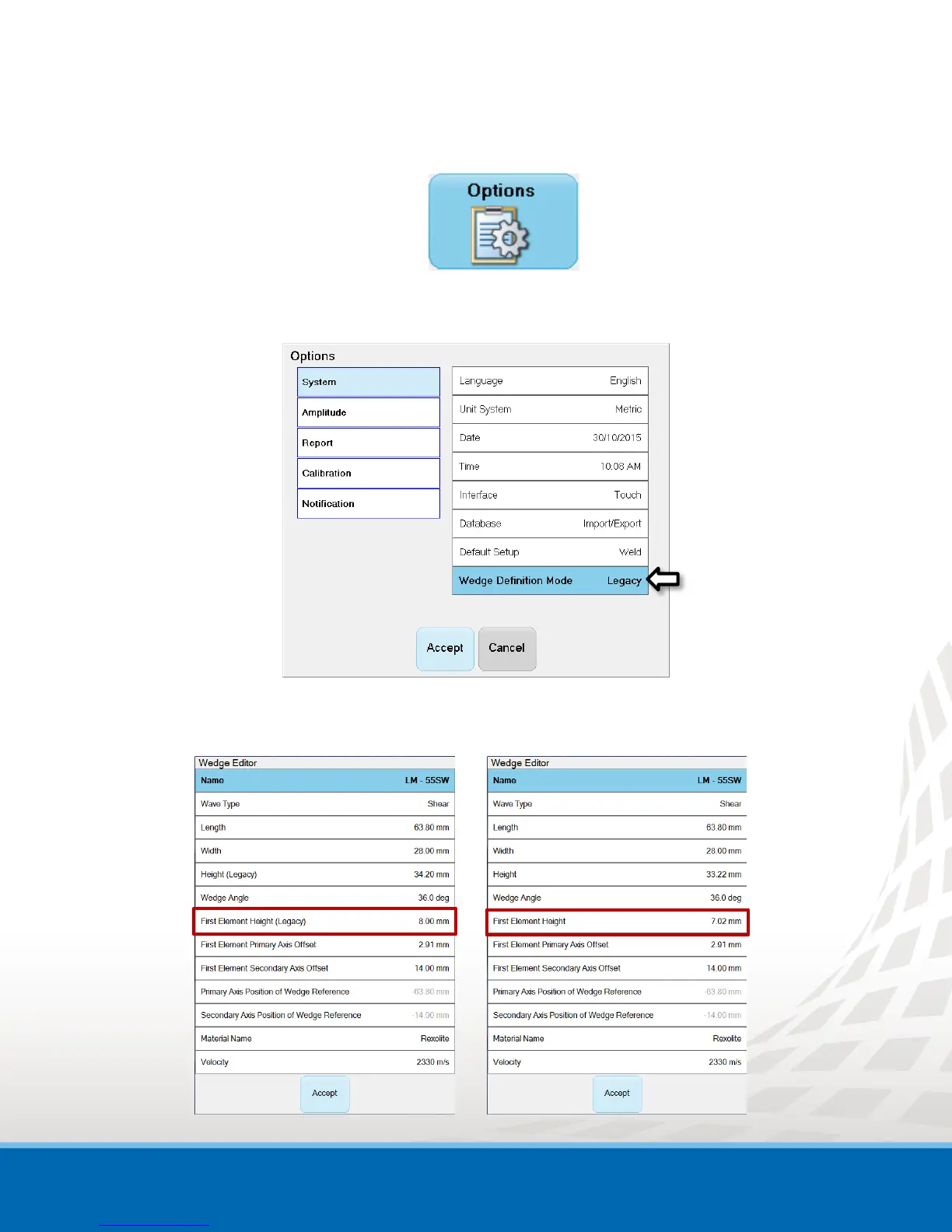
To set the wedge definition mode:
1. In the Tools menu, select Options.
2. In the Options window, set the Wedge Definition Mode to Legacy or Default.
Figure 9-3 Options Window
3. Click Accept.
The Wedge Definition Mode is defined and will now on be used in the Wedge Editor.


 To Previous Page