TOPAZ – Technical Guidelines 22
9. Wedge Definition Mode
When defining your wedge characteristics, you now have two different modes available:
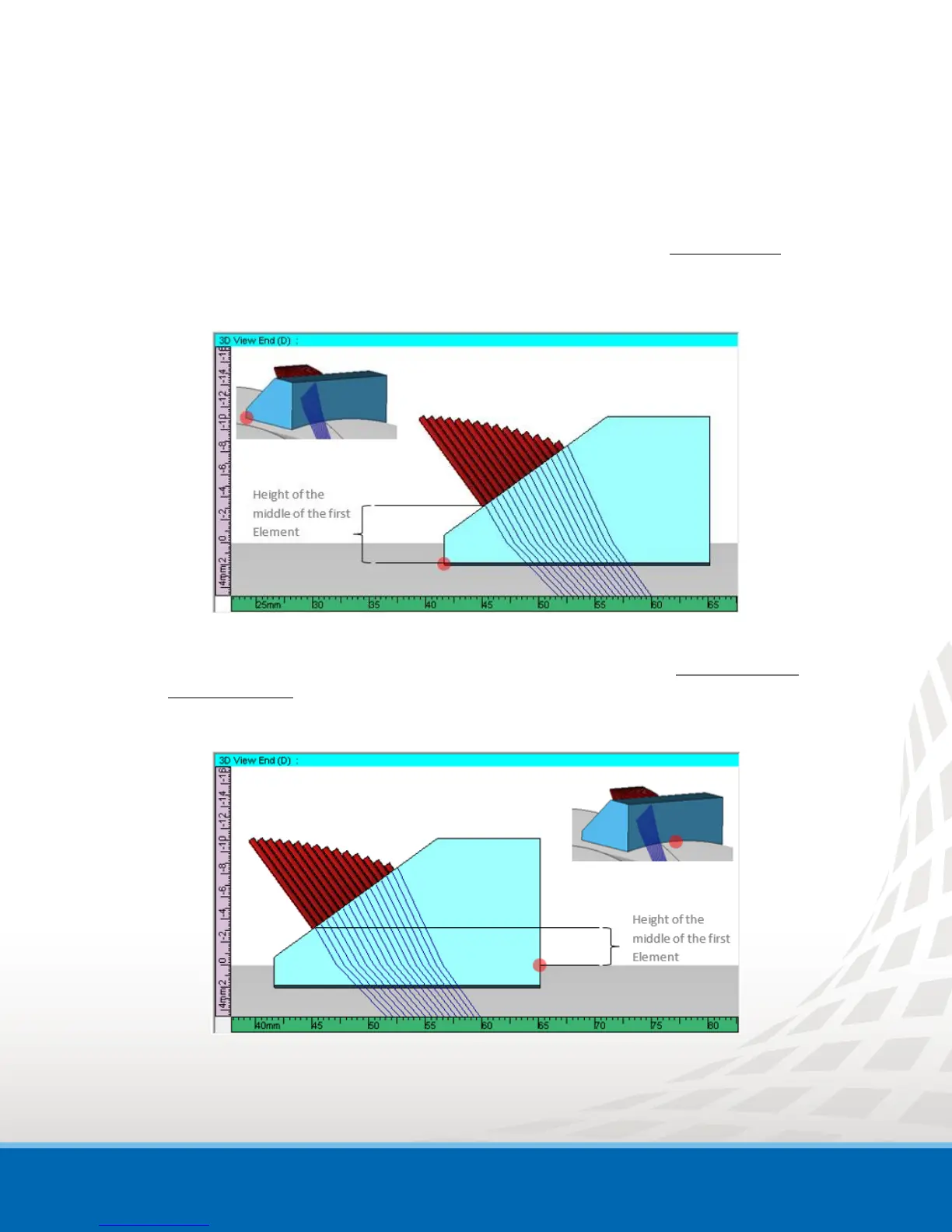
Legacy:
This mode allows you to define the height of the first element using the back left corner of the
wedge as the reference. Historically, this mode was the one used in previous software release.
Figure 9-1 Legacy Wedge Definition Example - Height of First Element
Default:
This new mode allows you to define the height of the first element using the middle of the
wedge front edge as the reference.
Figure 9-2 Default Wedge Definition Example - Height of First Element
For plate examination, there is no difference between the two modes, this only affects wedge definition
for pipe-like or curved surface specimens.


 To Next Page