TOPAZ – Technical Guidelines 8
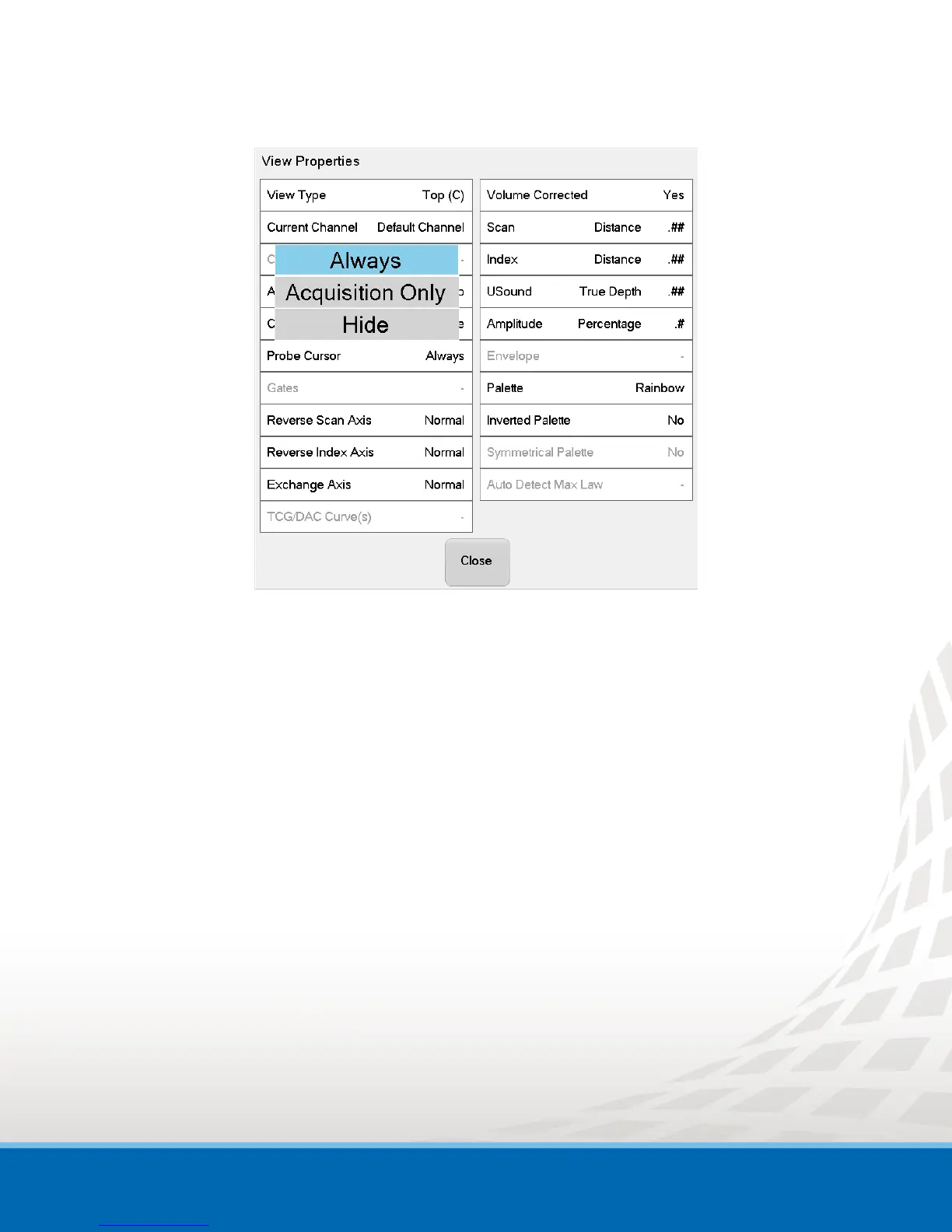
Figure 3-2 View Properties Window - Probe Cursor Options
4. Select Always.
To always display the Probe cursor (in setup and acquisition mode).
OR
Select Acquisition Only.
To display the Probe cursor only during data acquisition (acquisition mode).
OR
Select Hide.
To hide the Probe cursor.
You can now adjust the Probe cursor settings to better fit your application.


 To Next Page