Need help?
Do you have a question about the ZETRON 280 and is the answer not in the manual?
Terms and conditions for Zetron software usage.
Details Zetron's warranty for products and accessories.
Defines Zetron's liability limits for product use.
Information on FCC Class A, EMC standards, and markings.
Essential safety guidelines for installation and servicing Zetron equipment.
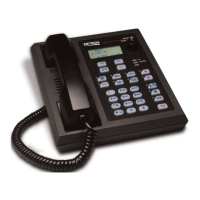
Details on Model 280/284 features for public safety and utility markets.
Explains how remotes display status across multiple operators.
Highlights benefits of digital audio processing for clarity and ease of use.
Describes automatic audio leveling and stable audio quality circuits.
Details the built-in paging encoder and its database features.
Explains how operators interact with the remote via deskset or handset.
Describes the LCD display for information and frequency selection.
Lists assignable functions for programmable keys for customization.
Explains privacy features and supervisory takeover capabilities.
Describes how the call decoder alerts specific remotes or groups.
Compares features of Model 280 and Model 284.
Lists optional accessories such as programming kits.
Lists part numbers for various models and accessories.
Introduces the section detailing physical and electrical specifications.
Details power, connections, temperature, size, weight, and display.
Lists and describes programmable functions, tones, and keys.
Covers paging formats, database, and talk time.
Details tone levels and call decoder parameters.
Introduces normal operations and power considerations.
Explains the transmit and monitor button functions.
Describes the clear button and provides a diagram of remote controls.
Details operation of line select and programmable keys.
Explains how to use the keypad for paging entries.
Describes status indicators and information on the LCD display.
Explains function tone behavior and initial power-on display.
Covers volume adjustment and status display in operation.
Provides in-depth explanation of the call decoder feature.
Details paging formats and how to enter pages using leading digits.
Explains single format paging and database navigation.
Describes stack paging and live DTMF transmission.
Introduces installation process and lists necessary equipment.
Illustrates system layout and explains entering the setup mode.
Details entering and using setup mode for configuration.
Describes the functions of keys during setup mode tests.
Explains how to set up the paging encoder features.
Details setting the volume for unselected audio lines.
Covers connecting the remote to system wiring and accessories.
Provides instructions for reconfiguring the remote for wall mounting.
Describes power supply requirements and external audio interface connections.
Explains supervisor takeover setup and line connection procedures.
Guides on setting transmit audio levels using test equipment.
Provides methods for level setting with and without test equipment.
Covers adjusting transmit deviation and equalizing paging tones.
Lists and describes potentiometers and other controls.
Explains jumper settings for impedance and configuration.
Details pinouts for terminal blocks TB1, TB2, and TB3.
Provides a template for custom key cap labels.
Instructions for replacing key labels and key tops.
Introduces using ZIPR software for remote configuration.
Steps for installing ZIPR and connecting the PC via USB-TTL adapter.
Guides on configuring the COM port for ZIPR communication.
Provides helpful advice for using the ZIPR software effectively.
Describes the main window categories and menus in ZIPR.
Explains how to move between menus and select options in ZIPR.
Discusses the purpose and use of default configuration files.
Covers saving configurations and accessing feature references.
Lists and describes all programmable key functions.
Details various programmable key functions like Coded/Clear, Mute, Privacy, etc.
Covers Model 284 specific line keys and alphanumeric label assignments.
Details frequency selection functions and associated control tones.
Defines system-wide operational parameters like time of day and intercom mode.
Details Model 284 line parameters and call decoder setup.
Covers paging formats, keyup delay, and user database setup.
Explains editing users, purging databases, and setting up stack pages.
Details equalization curves and interstack delay settings.
Steps to open, rename, and prepare a configuration file for editing.
Guides on assigning functions to programmable keys in ZIPR.
Instructions for assigning text labels to radio channels.
Steps to set up multiple paging formats and leading digits.
Procedure to disable paging to prevent transmit lockups.
Guides on entering users into the database and creating stack pages.
Procedure to upload a configuration file to the remote.
Covers Model 284 specific line key enabling and label assignment.
Details Model 284 line parameters like default frequency and AGC.
Provides reference data for Two-Tone paging formats.
 General
| Brand | ZETRON |
|---|---|
| Model | 280 |
| Category | Remote Control |
| Language | English |


 To Next Page