EasyManua.ls Logo

ZGEMMA STAR 2S - Program Content Features

ZGEMMA STAR 2S
27 pages
Print Icon
To Next Page IconTo Next Page
To Previous Page IconTo Previous Page
Loading...
Mi
4.6
Program
Information
(O
:
Pfess
INFO
key]
Whenever
you
change
the
channel,
infobar
is
always
displayed
for
5
seconds
(default
setting).
Infobar
is
designed
to
provide
you
comprehensive
information
of
the
channel
that
you
are
currently
watching.
!0;
Press
SUBTITLE
key]
You
can
view
the
subtitle
of
the
current
program
if
the
program
provides
the
subtitle.
Press
SUBTITLE
key,
Subtitle
seleaion
menu
appears
as
below.
Available
subtitles,
if
any,
will
display.
By
using
UP/DOWN
navigate
the
list
to
select
a
subtitle
that
you
want
to
play
and
press
OK
to
activate
it
4.7
Info
Bar
•Press
OK
to
call
up
infobar.
7:43
247
DW(A*ien}
7:30
Euretnaxx
8:00
JouriMi
rit
■
eDBD
A
nMTt
•tOmln
H%
3
mm
«W4-8
4.8
Electronic
Program
Guide
(Event
View)
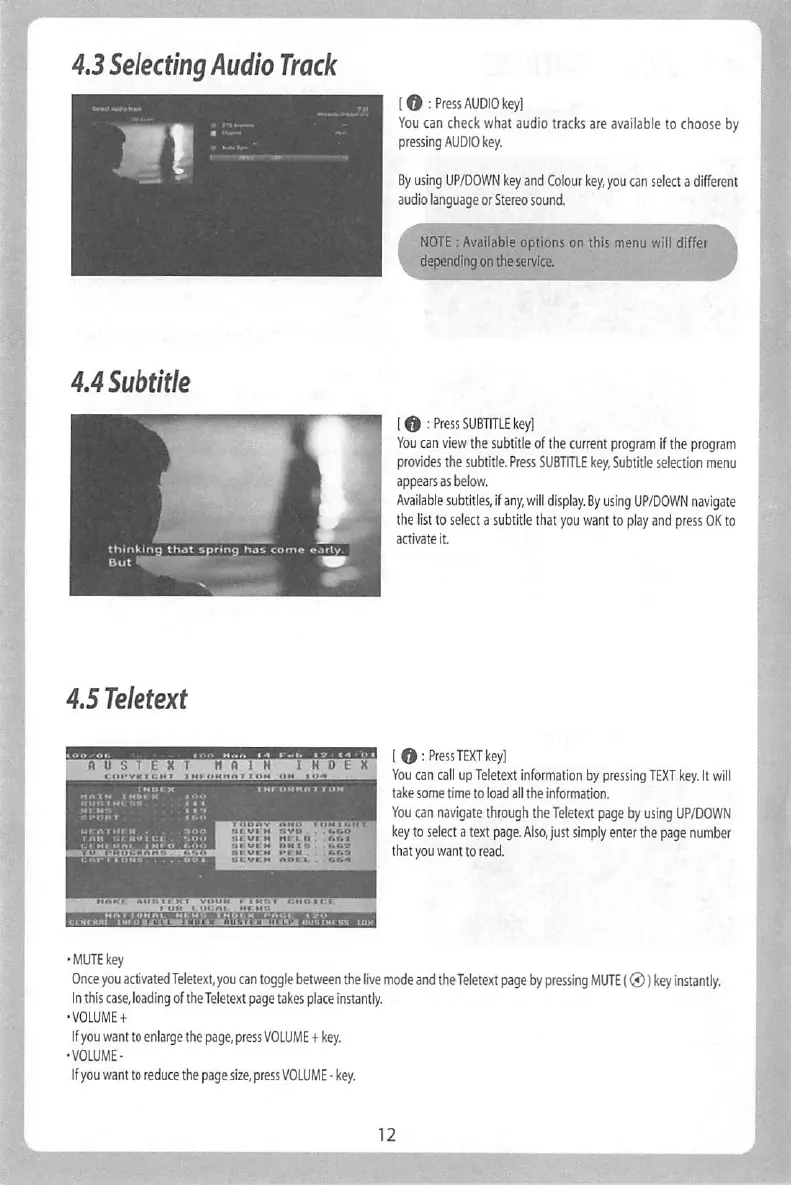
[0:Press
TEXT
key]
You
can
call
up
Teletext
information
by
pressing
TEXT
key.
It
will
take
some
time
to
load
all
the
information.
You
can
navigate
through
the
Teletext
page
by
using
UP/DOWN
key
to
select
a
text
page.
Also,
just
simply
enter
the
page
number
that
you
want
to
read.
•MUTE
key
Once
you
activated
Teletext,
you
can
toggle
between
the
live
mode
and
the
Teletext
page
by
pressing
MUTE
(0)
key
instantly.
In
this
case,
loading
of
the
Teletext
page
takes
place
instantly.
•
VOLUME
+
If
you
want
to
enlarge
the
page,
press
VOLUME
4
key.
•VOLUME-
If
you
want
to
reduce
the
page
size,
press
VOLUME
-
key.
[
O
:
Press
EPG
key]
Elearonic
Program
Guide
(EPG)
displays
the
program
information
of
each
channel,
if
provided,
in
time
and
date
order.
Detailed
information
of
the
current
channel
will
be
displayed
on
EPG.
There
are
four
options
in
the
EPG
display.
a
'
■ ■
and
hold
EPGk^forMuld^Q^fi
•GREEN
(Add
Timer)
If
you
press
GREEN
key.
Timer
entry
menu
appears
as
shown
left
This
option
is
used
to
set
up
a
newtimer
for
recording
or
zapping,