7
Installation and Balance Adjustment
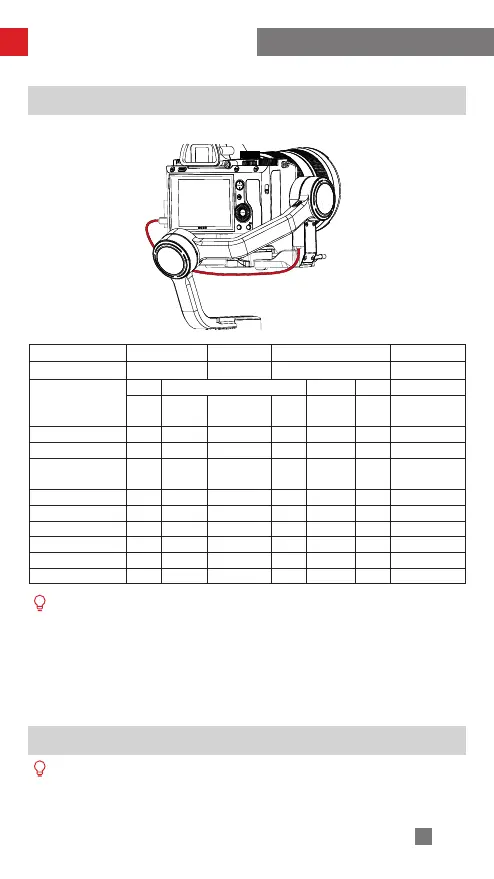
Camera Control Cable Connection
Plug the camera control cable into the control interface of the camera and stabilizer.
Control Cable Name ZW-Micro-002 ZW-Mini-002 LN-MBUC-B01 ZW-MULTI-002
Camera Port Type Micro USB Mini USB Type-C Multi USB
Camera Brand &
Model
Nikon Canon Panasonic Nikon Sony
D850
5D Mark
Ⅳ
6D Mark Ⅱ EOS R GH5 Z6 A7RM3
Photo √ √ √ √ √ √ √
Video √ √ √ √ √ √ √
Switch to real-time
preview
√ √ √ × × × ×
AV √ √ √ √ √ √ ×
TV √ √ √ √ √ √ ×
ISO √ √ √ √ √ √ ×
EV √ √ √ √ √ √ ×
Electronic Focus √ √ √ √ √ √ ×
Electronic Zoom × × × × × × √
① The mentioned camera models in the form are only for reference.
② When controlling a Sony camera via a control cable, please power on the
stabilizer before powering on the camera. Please make sure the camera is fully
charged. The optical zoom is available if using a motorized lens, and the digital
zoom is available if using a non-motorized lens. You can set in the camera
menu.
③ For the full camera compatibility list, please visit ZHIYUN official website www.
zhiyun-tech.com to check the WEEBILL-S Camera Compatibility List.
Balance Adjustment
To facilitate the adjustment procedure, we recommend locking the three axes of
WEEBILL-S the way as the camera-mounted state, then unlock and make balance
adjustment of the axes one by one.



 To Next Page
 Loading...