27 zhiyun-tech.com
Crane-M Firmware V1.52 and above supports parameter setting for motor force. Users can set the motor force to
adapt to cameras with different weights via the calibration upgrade tool or the app.
Setting Process
Operation guide on motor torque adjustment
1. Download the calibration upgrade tool and USB driver from Zhiyun official website. Double click to install
USB driver.
2. Connected gimbal and PC by USB cable, double-click Tool to run Tool. Power on gimbal, press and hold
Mode button for seconds, gimbal enter to standby mode.
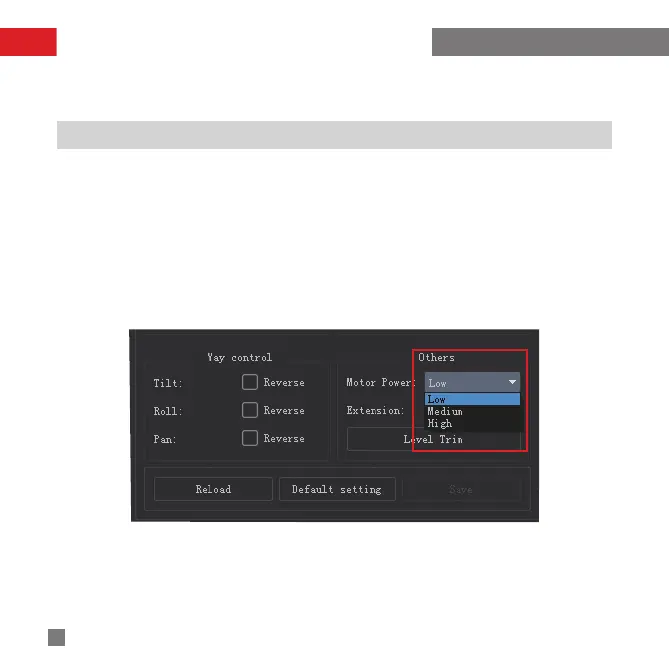
3. Click “Setting” to enter to parameter setting page. Click “Open”, Users can set motor power in Other
Module.
4.Motor power have low, medium and high three options.
Low: Default setting ( recommend : Crane-M + Sony A6300 or below weight)
Medium:Moderatesetting(recommend:Crane-M+SonyA6300)
High:Maximumsetting(recommend:Crane-M+SonyA7S)



 To Next Page
 Loading...