12
English
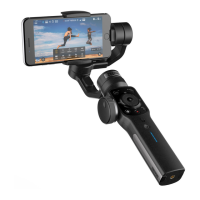
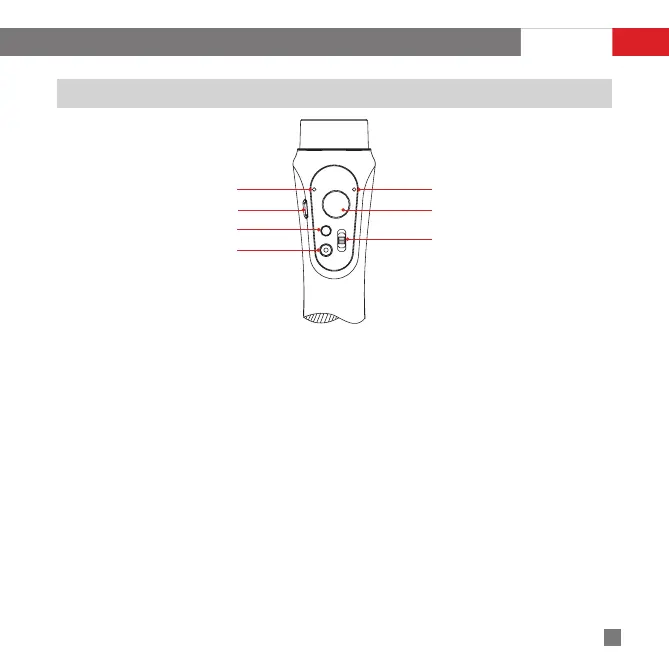
Control Panel Introduction
Micro USB Port
MODE
Battery Level Indicator
Joystick
Shifter Lever
ON/OFF
Status indicator
Joystick Operation
Joystick controls the smartphone movement when pushed or pulled up/down and left/right.
Power ON/OFF
Power on the stabilizer by pressing the Power button for about 3 sec.
The Power button is used for camera shooting controls when paired to the Mobile APP.
Micro USB Port
Connect the stabilizer with a USB power source using a Micro USB cable for charging.
Connect the stabilizer with a computer using a Micro USB cable for firmware upgrade and on-line calibration.
Battery Level Indicator
Shines BLUE light when the stabilizer is in normal operation, the flashing frequency of the BLUE light indicates
the current battery level:
a)Quick flash 4 times for battery level of 76%-100%.
b)Quick flash 3 times for battery level of 51%-75%.
c)Quick flash 2 times for battery level of 26%-50%.
d)Quick flash 1 time for battery level of 1%-25%.
Shifter Lever Operation
Start Up


 To Next Page
 Loading...