16
English
How to Take Photos & Videos
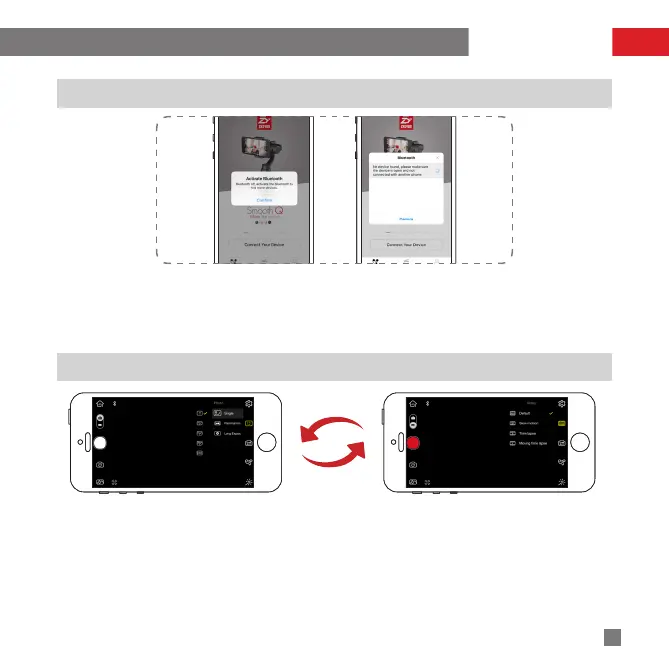
Connecting the Stabilizer to Smartphone
1. Power on the stabilizer.
2. Turn on Bluetooth in Settings of your smartphone.
3. Tap ZHIYUN's APP icon to open.Tap the signal icon on the top of the APP screen to search for nearby
signals, choose your stabilizer to connect.
Photo/Video Switch thru the Stabilizer
Single press the Power/Shutter button to take a photo.
Double press the Power/Shutter button to start/stop video recording.
Photo/Video Control and Settings thru APP
1.Tap the Photo/Video icon on the left of ZY Play operation screen to switch between “PHOTO” and “VIDEO”
shooting.
APP Operations


 To Next Page
 Loading...