6
Installation and Balance Adjustment
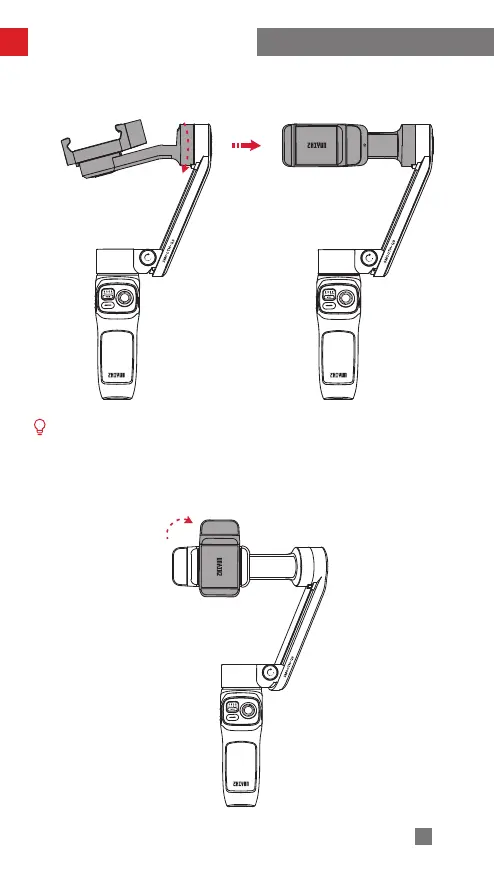
3. Rotate the tilt axis arm along the outer edge shown in the image.
Please rotate in the correct direction shown in the image to prevent the fixing
buckle of the tilt axis from damaging.
4. Rotate the phone clamp 90° clockwise to the position shown in the image. (The
direction shown in the image is for when the phone clamp is tightened)


 To Next Page
 Loading...