14
How to Use
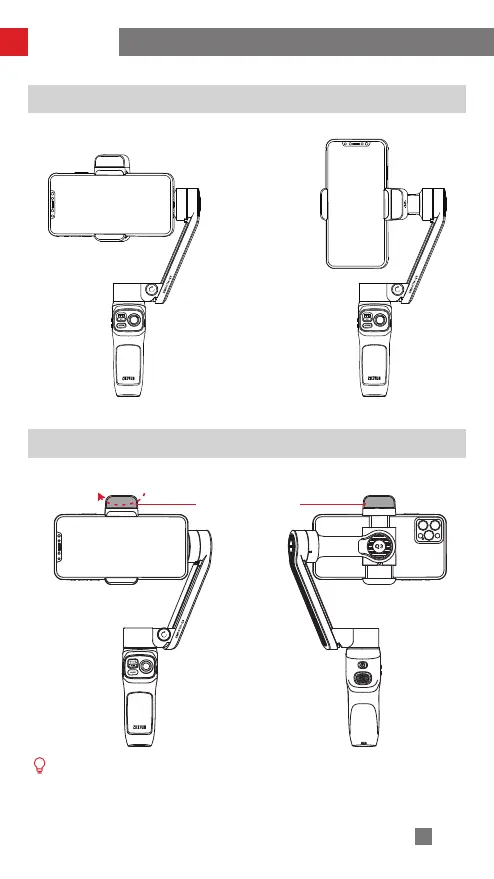
Switch Between Landscape Mode & Portrait Mode
Fill Light Adjustment
Landscape Mode Portrait Mode
Rotate the fill light when needed. The maximum rotate angle is 180.
① Please rotate in the correct direction.
② Adjust the brightness of the fill light according to the environment and avoid
staring directly at the light.
③ Due to structure limitation, you are not able to use the fill light when you're
using the front camera in the portrait mode.
Fill Light
Triple press the trigger button.


 To Next Page
 Loading...