MS - SOUND decoders MS440 to MS990 and MN - NON-SOUND decoders MN170 to MN340 Page 21
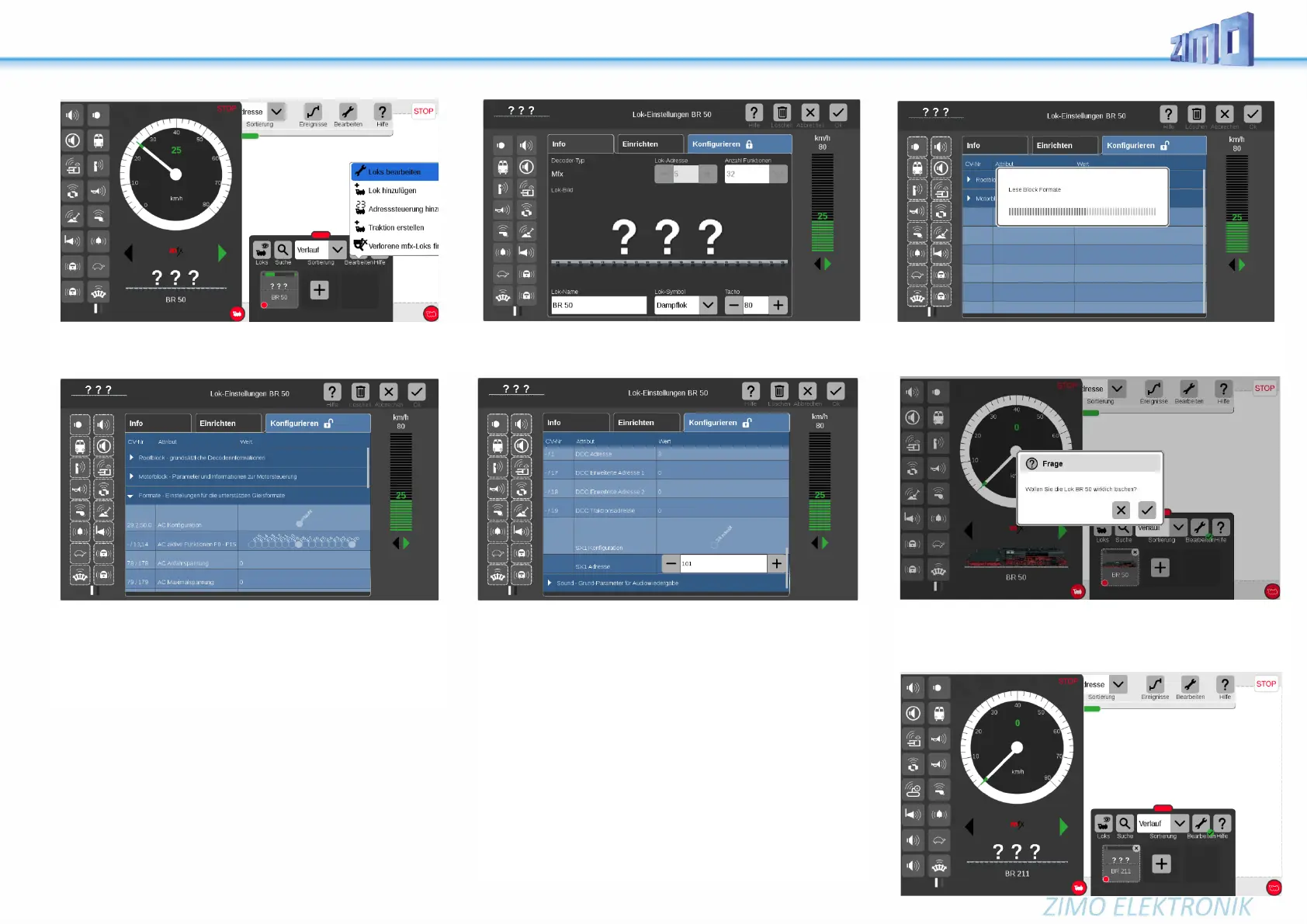
Activating the “screwdriver” button opens
... the processing plane, where with the button “configuration”
... the “blocks” (i.e. groups of configurations) are read out and
opened by the decoder (root block, motor block, formats, sounds, ...).
For example: in “Formats” you can configure the AC-analog opera-
tion.
If it is a ZIMO MS decoder with a “normal sound project”
(i.e. NO collection)...
... the parameters described on the right
“SX1...” do not appear.
Loco type selection,
If it is a ZIMO MS decoder with a loaded “sound collec-
tion”: ...
... the parameters “SX1 configuration” and “SX1 address” are dis-
played when reading out the address.
This does not mean that the ZIMO decoder can be driven with Se-
lectrix (ZIMO does not support this format),
but the parameters “SX1 address” is misused to select the loco
type from the sound collection
(in DCC operation this is configured with CV #265).
In the example above, the previously displayed “1” is overwritten by
“101”, i.e.: switch to BR 211, which is stored as number “101” in the
sound collection.
After entering the new value, the decoder automatically resets and
is, therefore, ready to register as
Diesel loco BR 211, as soon as the registration is started by the
Central Station.
The steam loco BR50 registered with the system has to be deleted
(to do so, there are a few possibilities in the Central Station).
After confirming the security question (see picture above), the de-
coder is registered automatically, but as “BR 211”.



 To Next Page