Page 60 MS - SOUND decoders MS440 to MS990 and MN - NON-SOUND decoders MN170 to MN340
6 Sound equalizing (filter) of the MS sound decoders
Ab SW-Version 4.229
MS-Sound decoders of all types (from subminiature to large scale) allow the application of up to 6 filter
stages (each with one of currently 7 filter types) to the audio signal reaching the loudspeaker. In case
of "stereo" decoders also separately for both output channels (3 filter stages each, not yet in SW ver-
sion 4.229).
For the filters and their parameters, the CVs are available on a CV page:
CV-Page 145/2 (i.e. page pointer CV #31 = 145, CV #32 = 2), CVs #257 - #280
CVs (from SW-Version 4.229)
CV-Page 145/2, 1. Filter
CV #257 = Filter type
CV #258 = Cut-off frequency
CV #259 = Quality factor
CV #260 = Amplification
Filter type: 0 = no Filter (deactivated)
1 = Low pass | 2 = High pass | 3 = Bandpass
4 = LowShelf | 5 = HighShelf | 6 = Notch | 7 = Peak
Cut-off frequency 64Hz to 16kHz:
CV = (log(Cut-off frequency) * 32 / log(2)) – 192
Quality factor 0 to 2:
CV = (Quality factor * 128) - 1
Amplification -12dB to +12dB:
CV = Amplification * 32 / 3 + 127
CV-Page 145/2, 2. Filter
CV #261 = Filter type
CV #262 = Cut-off frequency
CV #263 = Quality factor
CV #264 = Amplification
CV-Page 145/2, 3. Filter
CV #265 = Filter type
CV #266 = Cut-off frequency
CV #267 = Quality factor
CV #268 = Amplification
CV-Page 145/2, 4. Filter
CV #269 = Filter type
CV #270 = Cut-off frequency
CV #271 = Quality factor
CV #272 = Amplification
CV-Page 145/2, 5. Filter
CV #273 = Filter type
CV #274 = Cut-off frequency
CV #275 = Quality factor
CV #276 = Amplification
CV-Page 145/2, 6. Filter
CV #277 = Filter type
CV #278 = Cut-off frequency
CV #279 = Quality factor
CV #280 = Amplification
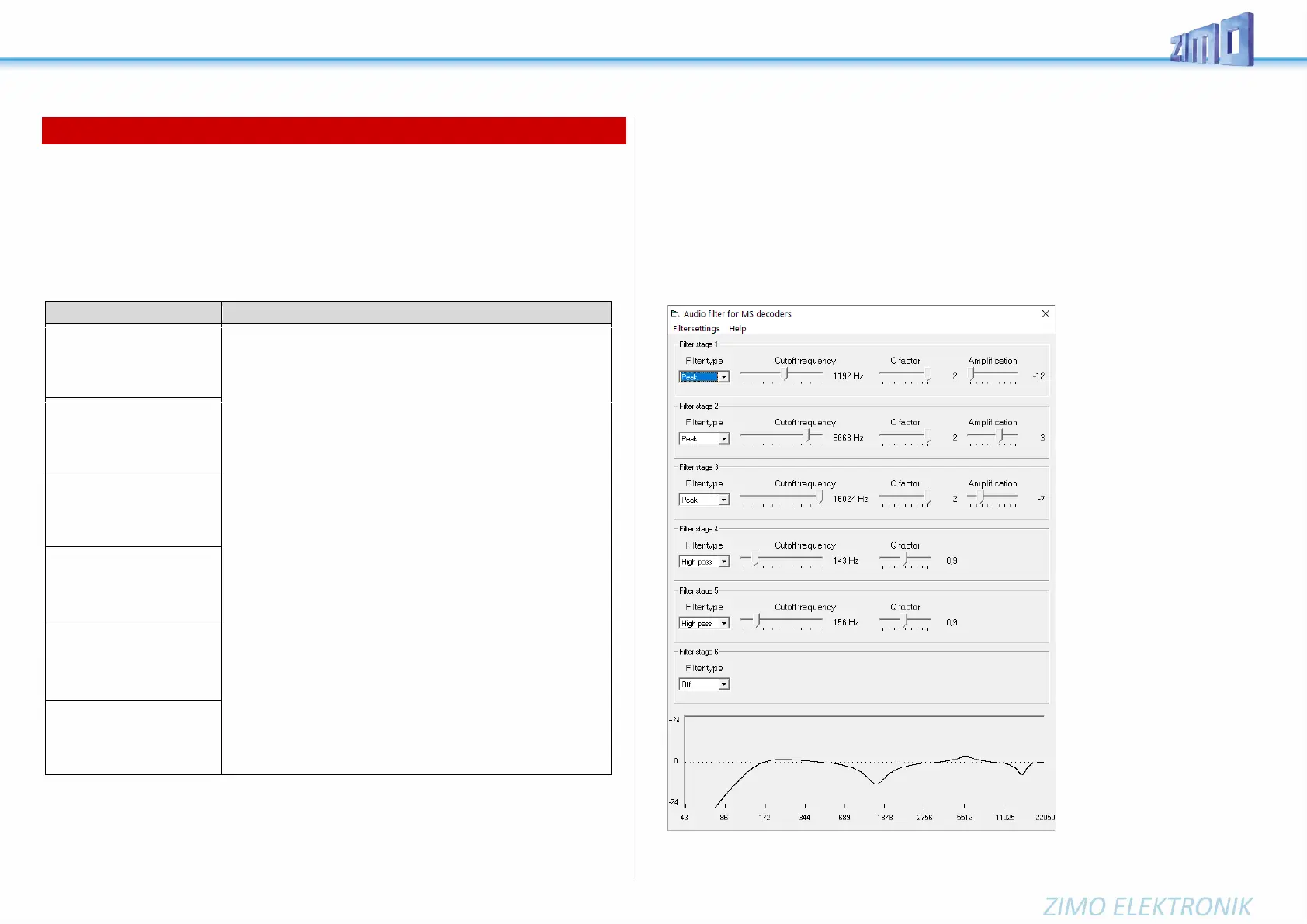
Convenient setting of the filters with ZPP-Konfig or ZSP:
The software controller with the filters can be accessed via ZPP Config as well as via ZSP.
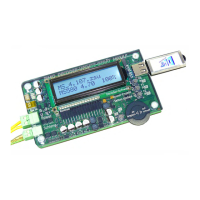
In order to use the real-time filter setting, the MXULF must be connected to the PC via USB cable.
Then the control panel is opened and the button for the filter dialog.
Example: Loudspeaker matching for LS8X12 (a rectangular loudspeaker from the ZIMO program)
- Frequencies that the loudspeaker reproduces too softly or too loudly are boosted or cut with peak fil-
ters - in this case cut around the resonance frequencies.
- Low frequencies, which the (small) speaker would not be able to reproduce anyway, are suppressed
by high-pass to reduce the load on the speaker.
The speaker adjustment described here is only one of many possibilities opened up by equalizing!



 To Next Page