87100 v1.12 09.22 FlushMaster Page 9 of 12
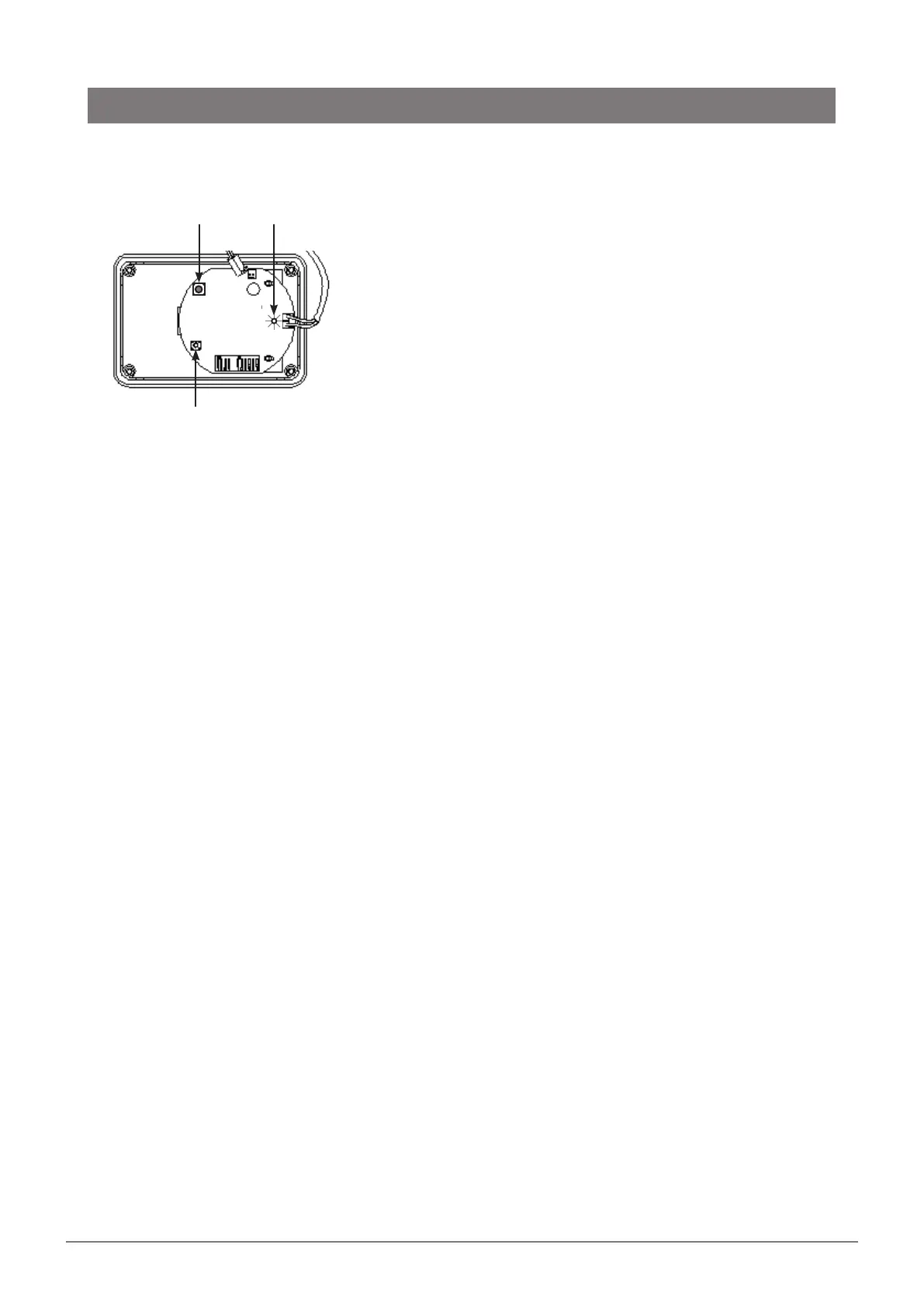
6. Set fill timing using Fill Time Button
(alternatively, set the timing using switches as detailed in step 5)
To establish the time, start with an empty cistern.
The board will run Test Mode defaults (approximately 35 seconds
delay, 5 seconds flush) until the time values have been set up.
Time values may be set individually at any time except while the
valve is open.
To set the valve open (flush/fill) time:
• Press the Fill Time Button until the Fill LED lights up.
• Press the Fill Time Button again to make the Fill LED pulse every
second.
• Wait for the desired valve open time to allow the cistern to fill
and flush, then press the Fill Time Button again to set the Fill
Time. If the Fill Time Button is not pressed again, the timer will
be set to 15 minutes.
• The valve will then shut.
7. Complete installation
On completion, fit the cover and tighten the 4 fixing screws.
Installation
Fill Time
Button
Fill LED
Reset
button


 To Next Page