Page 16 of 28 801912 - G4 BCS, BCSHA Commercial User Guide - July 2015 - v2.00
LCD Screen operation - Section C
This section is reserved for service technicians only
Note: In Australia call a licensed electrician, plumber,or Zip office on
1800-638-633, for assistance, service, spare parts, or enquiries.
D
Service
LCD Screen operation - Section D
6 - Lux Sensor Calibration
NOTE: Conduct calibration under normal light conditions
1. Press [MENU] button for main menu.
2. Press [Install] button.
3. Press [Lux Sensor Calibration]
button.
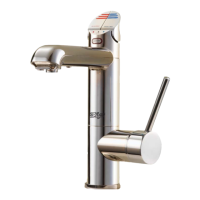
4. The lights on the Tap head will flash
to confirm calibration.
5. Check for correct tap operation by
selecting ‘Lux Sensor-> OFF’. When
the room is darkened (below the cal-
ibrated light level), the tap lights will
turn OFF after aprox 30 seconds.
5 - Purge CO
2
When fitting a new gas bottle, it is important to purge the gas lines.
1.
Press the [MENU] button for main
menu.
2.
Press the [Install] button.
3.
Press the [Purge CO
2
] button.
4.
In the next screen, press the
[START] button to commence the
purging process.
5.
Wait for the water to stop flowing
through the unit.
6.
Wait a further 10 seconds after the
water has stopped flowing. During
this time you will hear the CO
2
gas
escaping through the tap.
7.
Press [STOP] to end the purge.
8.
Press [<=] button for the previous
menu or press the [Home] button to
return to the home screen.














 To Next Page