Page 22 of 28 801912 - G4 BCS, BCSHA Commercial User Guide - July 2015 - v2.00
Safety
LCD Screen operation - Section G
B
C
A
C
*
To set the tap safety setting:
•
Press [MENU] button for main
menu.
•
Press [Setting] button.
•
Press [Safety] button.
•
Press button - YES to allow
the safety setting to be changed
on the Tap
To Enable or Disable the safety on the tap
•
Press button to select Enable / Disable
B
A
Hot Isolation: (Not available for HydroTap Arc/Cube)
*
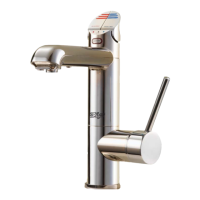
The HydroTap is equipped with a safety mode that allows for additional
safety protection, if needed.
When activated, the HOT Isolation mode will override the settings to ensure
Boiling water is not dispensed.
To Activate the Hot Isolation:
•
Press button - to Enable / Disable Hot isolation.
•
To operate the tap when in Hot Isolation mode, tap the Safety Lock (3)
three times, after a few seconds the tap lights will flash (3) three times.
This confirms de-activation and allows Boiling water to be dispensed . The
Hot Isolation can be immediately set again, by tapping the safety lock (3)
times.
•
If the Hot Isolation is not re-enabled, it will be automatically re-enabled
after 30 seconds of inactivity.
Note:
*
Hot Isolation - Not available for the HydroTap Arc/Cube Tap.
Do not enable this function for the HydroTap Arc/Cube.














 To Next Page