ACCOUNT CREATION
To benefit from the Zipato monitoring and control service you will need to set up your
Zipato account and register your Zipabox. Upon registration you will automatically
get the basic free level of monitoring service.
Open a browser window on your computer and go to the following URL: my.zipato.com
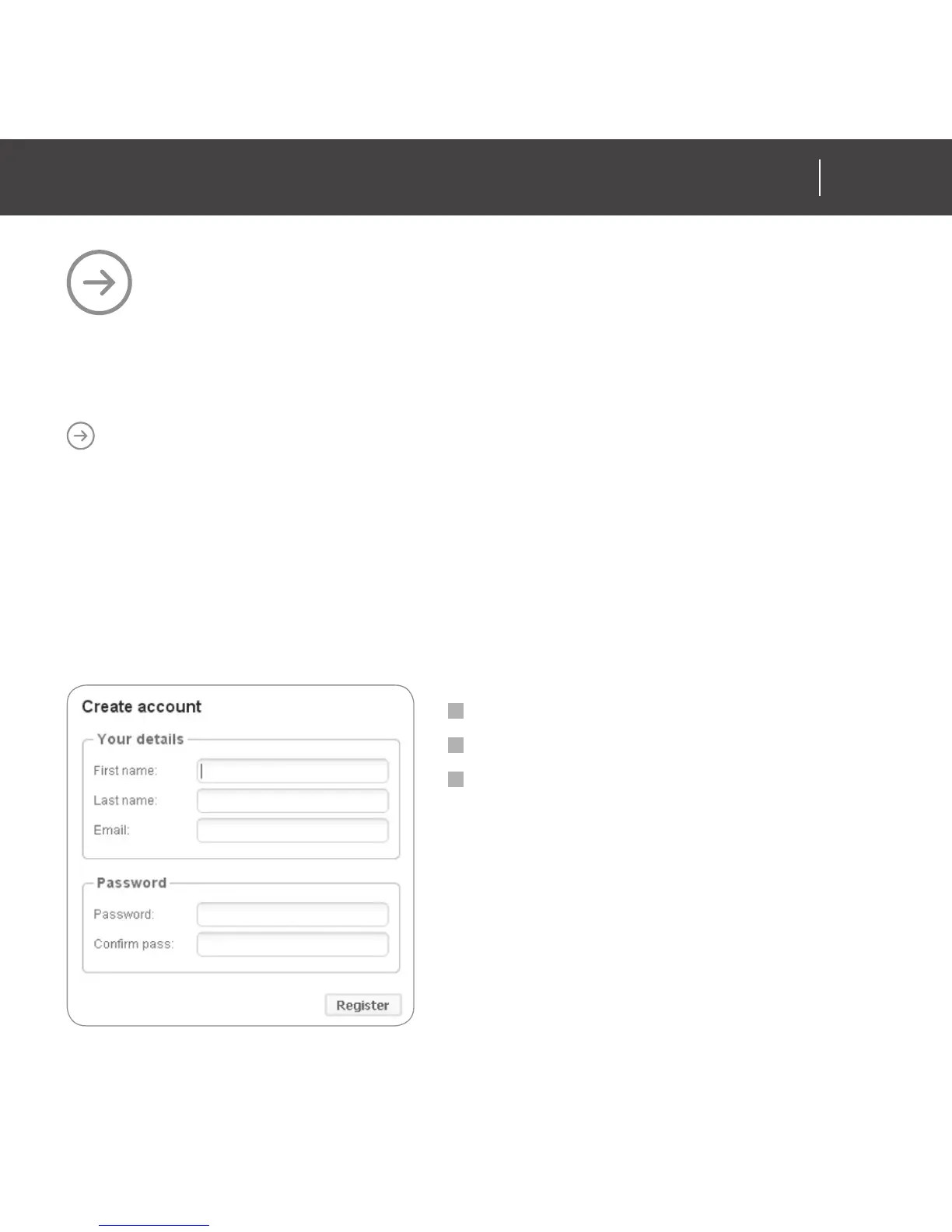
Click on “Register” button in upper right corner of a screen and follow the onscreen
instructions. Next window will pop up.
Fill out empty fields
Click on “Register”
Take note of your password
during this process.
ACCOUNT CREATION
AND REGISTRATION
15
ZIPABOX
QUICK INSTALLATION GUIDE14
ZIPABOX
QUICK INSTALLATION GUIDE
www.zipato.comwww.zipato.com


 To Next Page