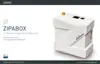
Waiting for more than a five minutes and still there is no green LED light.
01 | Check your Internet connection
02 | Check whether you connected your network cable correctly to your Internet router.
I forgot my password
01 | Go to my.zipato.com
02 | Click “Forgot password” and follow screen instruction.
I cannot connect any Z-wave or ZigBee device to my box
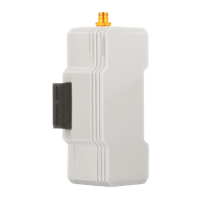
Check whether your antenna supplied with Zipabox is correctly mounted on Antenna
1 connector.
No Ethernet signal from Zipabox
Before connecting Zipabox check your internet connection. If everything is alright
with your internet connection then follow these steps:
01 | Unplug power and Ethernet cable from your Zipabox
02 | Wait 2 min.
03 | First plug in Ethernet cable and then power supply.
04 | Press and hold Button2 on your Zipabox and then briefly press (and release)
Reset button.
TROUBLESHOOTING
21
ZIPABOX
QUICK INSTALLATION GUIDE20
ZIPABOX
QUICK INSTALLATION GUIDE
www.zipato.comwww.zipato.com


 To Next Page