EasyManua.ls Logo

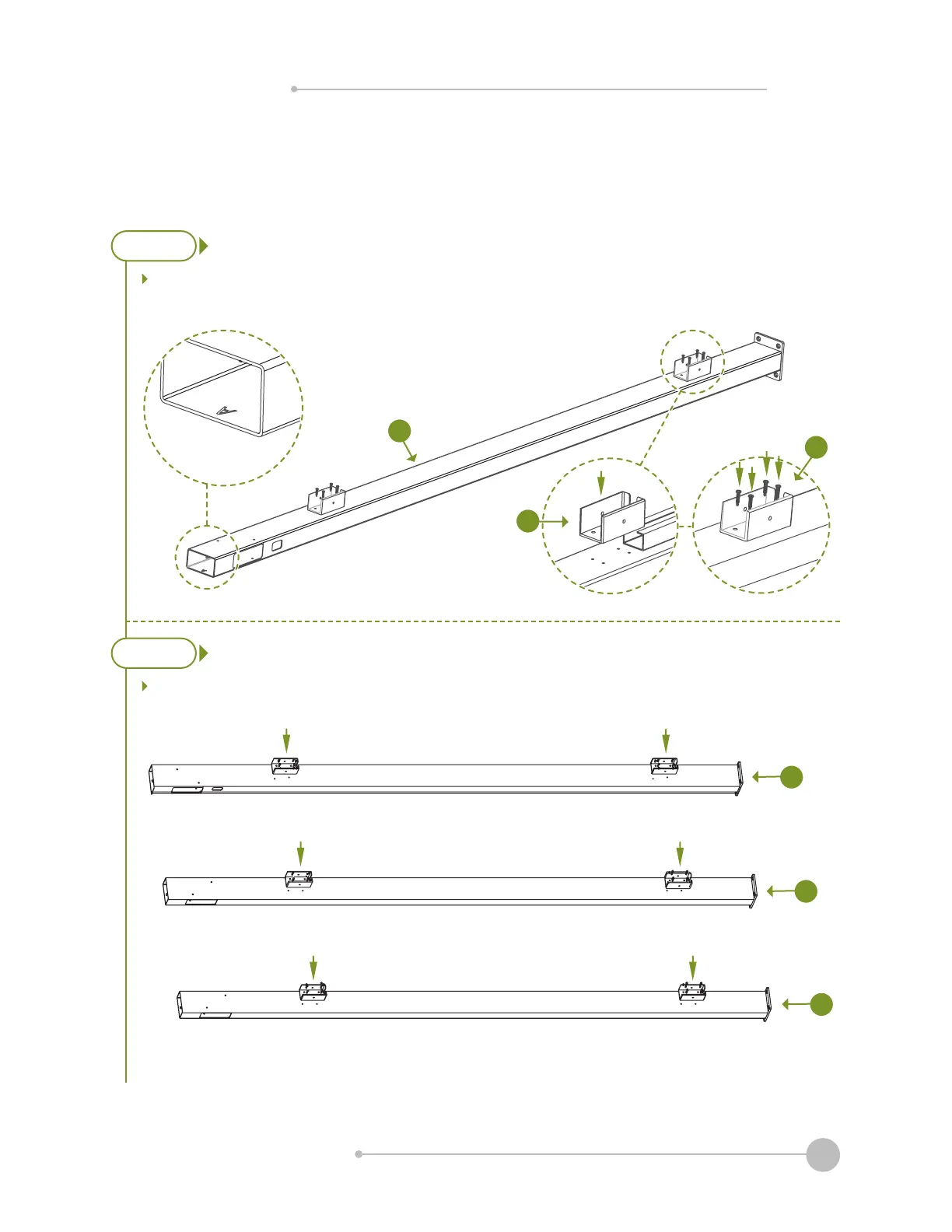
Zippity OCEANSIDE - Step 3: Install Brackets; Step 3.1; Step 3.2

Default Icon
11 pages
Print Icon
To Next Page IconTo Next Page
To Previous Page IconTo Previous Page
Loading...
WWW.ZIPPITY-OUTDOOR.COM
5
ASSEMBLY
INSTRUCTIONS
ZP19024
Note:z
STEP 3:
INSTALL BRACKETS
STEP 3.1
STEP 3.2
Lay out Post A (A)(M) with the
(O).
(B), C (C), and D (D).
Ensure that surface mount
(or post extension) is fully
installed prior to securing
brackets to post A.
A
B
C
D
O
M

Related product manuals