- 28 -
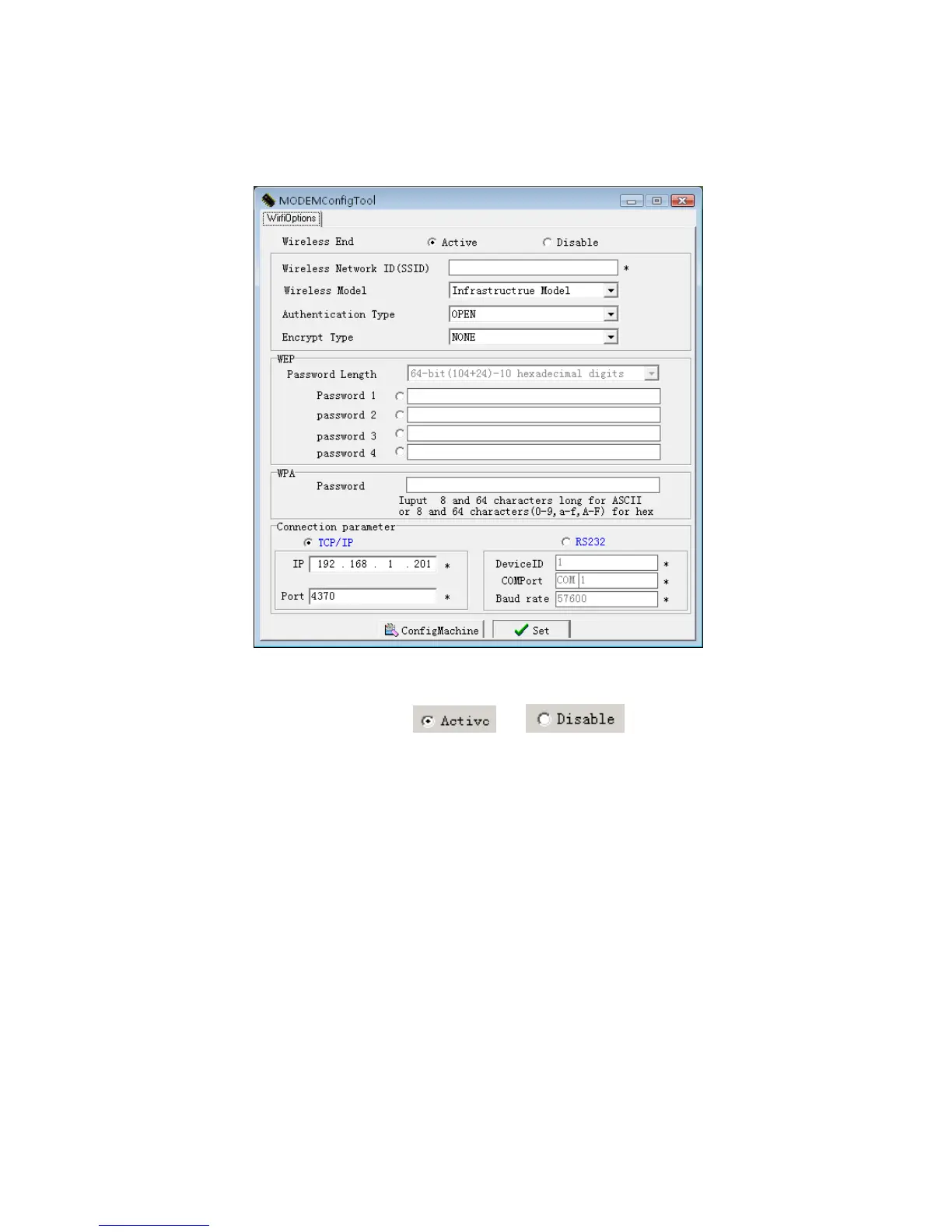
The following window will appear.
Step 4.Activate the software
There are two options
or
For wireless End (station) the two options must to be set down.
If you select the Active item, this wireless-end will be activated,
you can configure the AP (Access Point) of 802.11 networks.


 To Next Page