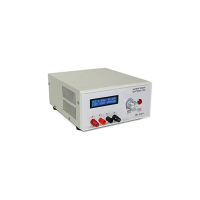
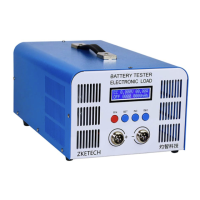
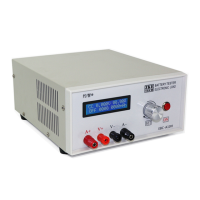
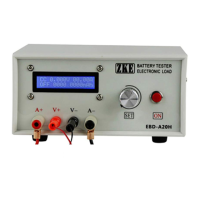
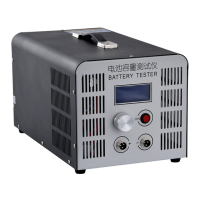
The EBC-B20H Battery Capacity Tester is a device designed for testing the capacity of 12-72V battery packs. It supports both automatic discharge and automatic charge when connected to a portable external battery charger. The tester can also be connected to a computer for comprehensive test graphs and advanced functions.
Function Description
The primary function of the EBC-B20H is to test battery capacity by discharging the battery at a constant current until a set cut-off voltage is reached. It automatically stops the discharge process when the voltage drops below the set value. For charging, the device supports connecting an external charger and automatically stops charging when the current falls below a set value. This allows for a complete charge-discharge cycle test. The tester provides real-time display of voltage, current, time, and capacity on its LCD screen. When connected to a PC via a USB-TTL cable, it offers additional functionalities such as viewing test graphs, calibration, firmware upgrades, and setting up test circulations (multiple charge-discharge cycles).
Important Technical Specifications
- Input Power: AC 100-240V, ensuring compatibility with various power sources.
- Cut-off Voltage: Adjustable from 8.00V to 88.00V, with a fine stepper of 0.01V, allowing precise control over the discharge termination point.
- Discharge Current: Configurable from 0.10A to 20.00A, with a 0.01A stepper. Note that for 12V battery packs, the maximum discharge current is limited to 10A.
- Discharge Voltage: Measures from 0.10V to 89.00V, with a 0.01V stepper.
- Capacity Detection: The device offers varying levels of precision based on the capacity range:
- < 10Ah: 0.001Ah
- 10-100Ah: 0.01Ah
-
100Ah: 0.1Ah
- Test Modes:
- DSC (Discharge): Constant current discharge, automatic stop at set cut-off voltage.
- CHG (Charge): Supports external charger, automatic stop when current drops below set value.
- Measurement Accuracy: Features a four-line design with separate voltage and current channels for high test accuracy.
- Display: LCD screen shows voltage, current, time, and capacity.
- PC Connection: Utilizes a designated USB-TTL cable for connection to a computer, enabling advanced features and data logging.
Usage Features
The EBC-B20H is designed for user-friendly operation with both standalone and PC-connected modes.
Connecting the Device:
- Battery Connection: Batteries are connected to two aerial sockets on the front panel. The positive pole connects to the left socket, and the negative pole to the right.
- Charger Connection: An external portable charger connects to two posts on the back panel: positive to the red post and negative to the black post.
- PC Connection: A designated USB-TTL cable connects the tester to a computer for software control and data analysis.
Display and Setting Interface:
- Buttons:
- SET knob: Used for rotating left/right to navigate options and pressing to confirm selections.
- ON button: Used to start/stop tests.
- Testing Interface: Displays real-time data including voltage, current, working state (ON/OF), testing mode (DSC/CHG), accumulated capacity, and test time. It also indicates "Connect to PC" when linked to a computer.
- Setting Interface: Accessed by pressing the "SET" knob for two seconds when testing is stopped. This interface allows users to configure test steps, modes (DSC, CHG, END), time limits (000-999 minutes, 0 for no limit), discharge current, and termination voltage. The cursor automatically moves through options, and values can be adjusted by rotating the "SET" knob. Pressing "ON" switches to the next setting option.
- Multi-step Testing: The tester supports up to five sequential test steps, allowing for complex test sequences like charge-discharge cycles. Setting "END" as a step will stop the test sequence. A five-minute interval is automatically set between steps to allow batteries to cool, indicated by "WAT" on the screen.
- Reading Test Results: After a test completes, rotating the "SET" knob allows users to review the capacity and time recorded for each step.
- Continuing Last Test: A long press on the "ON" button will resume the last test, continuing time and capacity from previous records.
Setting Examples:
- Basic Test Setup:
- Turn on the tester and connect the battery.
- Press "SET" for two seconds to enter the setting interface.
- Configure desired testing values (e.g., DSC mode, current, voltage).
- Press "SET" for two seconds to save and return to the testing interface.
- Press "ON" to start the test.
- 3-LiPo Series (Discharge Only): Configure STEP:1 as DSC with desired current and voltage, then STEP:2 as END to stop the test.
- 3-LiPo Series (Discharge and Charge): Configure STEP:1 as DSC, STEP:2 as CHG (with an external charger connected), and STEP:3 as END to complete the cycle.
Precautions:
- Always ensure correct positive and negative battery connections to prevent damage to the tester.
- Operate the tester within its specified allowed range for voltage and current.
Maintenance Features
- Software Updates: The manufacturer, ZKETECH, emphasizes continuous innovation and improvement, regularly upgrading the software. Users are encouraged to frequently visit the official website (www.zketech.com) to download the latest manuals and firmware.
- PC Software: The "EB Tester Software" is available for download from www.zketech.com, providing advanced functionalities for data analysis, calibration, and firmware upgrades. Users should refer to the "EB Tester Software User Manual" for detailed instructions on PC connection and software usage.
- Technical Support: For any technical queries, users can contact zke2006@163.com.
- Calibration: The PC connection allows for calibration of the device, ensuring continued accuracy over time.
- Firmware Upgrade: The device's firmware can be upgraded via PC connection, allowing for new features and performance improvements.

 Need help?
 General

 To Next Page