Need help?
Do you have a question about the ZLL SG906 PRO2 and is the answer not in the manual?
Safety precautions for operating the PTZ camera before starting the drone to prevent damage.
Instructions for powering on and synchronizing the drone and remote control for initial use.
Procedure to calibrate the drone's geomagnetic sensor for accurate flight.
Steps to calibrate the drone's gyroscope and gimbal for stable flight.
Guidance on switching between different flight modes for optimal performance.
Instructions on how to unlock the drone's motors for flight.
Procedures for replacing and charging the drone and remote control batteries.
Information on downloading and connecting to the drone's mobile application.
Guide to connecting to the drone's Wi-Fi network for app control.
Visual guide to the mobile application's interface and key functions.
Explanation of optical flow mode operation and its limitations.
Explanation of dual GPS/optical flow mode operation and positioning requirements.
Product usage disclaimer and limitations of liability for improper operation.
Guidelines on legal flight operations and prohibited flying areas.
Essential safety measures to prevent accidents during drone operation.
Lists all included components in the drone package.
Diagrams and labels identifying the different parts of the drone.
Instructions for correctly installing the drone propellers for proper flight.
Details on the drone's battery, including its features and installation.
Procedures for safely removing and charging the drone's battery.
How to adjust the PTZ camera's shooting angle using the remote control.
Identification and description of all parts and functions of the remote control.
Instructions for installing batteries into the remote control.
Essential checks to perform before launching the drone.
Steps to successfully pair the drone with the remote control.
Explanation of the different operational modes for the remote control.
Detailed steps for performing geomagnetic correction.
Procedure for calibrating the drone's gyroscope and gimbal.
Guide to connecting the drone to the mobile APP via Wi-Fi.
Details on switching between optical flow and GPS modes.
Steps to unlock the drone's motors for flight.
Step-by-step guide for initiating and controlling basic drone flight.
Diagrams illustrating how to control drone movements using the remote.
Instructions for initiating automatic takeoff and landing.
Guide to using the headless mode for easier flight control.
Details on automatic return-to-home features like one-click, signal, and low battery return.
How to take photos and record videos using the remote control.
Explanation of the signal strength indicator on the remote control.
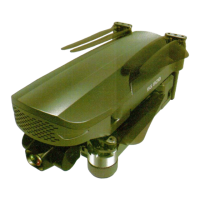
Visual identification of the drone's primary physical components.
A guide to common issues and their corresponding solutions for drone operation.
Instructions for downloading and installing the mobile application client.
Recommended and optimal configurations for iOS and Android devices for app use.
Detailed breakdown of the drone's control interface elements and icons.
Explanation of core functions like photos, camera, speed, and take-off/landing.
Details on advanced flight modes like trajectory, tracking, and surrounding flight.
Information on the camera holder adjustment and sharing media.
How to use the analog sticks (rockers) for drone movement control.
Instructions on using hand gestures to control camera and video functions.
Guide to shooting and editing music videos within the app's MV interface.
 General
| Camera | 4K UHD |
|---|---|
| GPS | Yes |
| Gimbal | 3-axis |
| Follow Me Mode | Yes |
| Return to Home | Yes |
| Foldable Design | Yes |
| Control Range | 1200 meters |
| Battery Capacity | 3400 mAh |
| Charging Time | About 360 minutes |
| Image Transmission Distance | 800 meters |

 To Next Page