Need help?
Do you have a question about the ZLTECH ZLAC8015 and is the answer not in the manual?
Introduction to the ZLAC8015 servo driver manual and its purpose.
Instructions for checking the integrated step-servo motor after unboxing for damage or missing parts.
Guidelines for safe installation, including non-flammable frames and avoiding environmental hazards.
Precautions for electrical wiring, including power confirmation and professional execution.
Safety measures during electrification, such as emergent stop circuits and terminal torque.
Safety guidelines during operation, including avoiding touching terminals and alarm reset procedures.
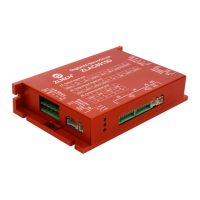
Overview of the ZLAC8015 as a high-performance digital servo driver for hub servo motors.
Details on communication protocols, operation modes, input/output capabilities, and protection functions.
Suitable applications for the ZLAC8015 driver, such as AGVs and robots.
Specifications for input voltage, output current, signal input current, and protection thresholds.
Details on cooling type, operating environment, working temperature, humidity, storage temperature, and vibration.
Diagram showing the physical dimensions for mounting the driver.
Recommendations for driver installation, including heat dissipation and avoiding unsuitable locations.
Details on power input, encoder/hall ports, control signal ports, DIP switches, and communication ports.
Information on wiring the 2 photoelectric isolation programmable input interfaces.
Pin definition and usage notes for the 4-pin CANopen communication port.
Pin definition and usage notes for the 4-pin RS485 communication port.
Explanation of the status indicator LEDs (green power, red fault) and their meanings.
Configuration of CAN and RS485 addresses using DIP switches SW3-SW6.
Guidance on selecting the incorporation of a 120-ohm terminal resistor.
 General
| Rated Power | 1.5 kW |
|---|---|
| Input Voltage | AC 220V |
| Control Mode | Position, Speed, Torque |
| Communication Interface | RS-485 |
| Protection Features | Over-voltage, Over-current, Over-temperature |

 To Next Page