ZLAC8015 Serco Driver Manual (Special for Hub Servo Motor) V1.0 ZLAC8015 Serco Driver Manual (Special for Hub Servo Motor) V1.0
15 Shenzhen ZhongLing Technology Co.,Ltd. TEL: +86-0755-29799302 FAX:+86-0755-2912 4283 WEB: www.zlingkj.com Shenzhen ZhongLing Technology Co.,Ltd. TEL: +86-0755-29799302 FAX:+86-0755-2912 4283 WEB: www.zlingkj.com 16
4. DIP SWITCH SETTING
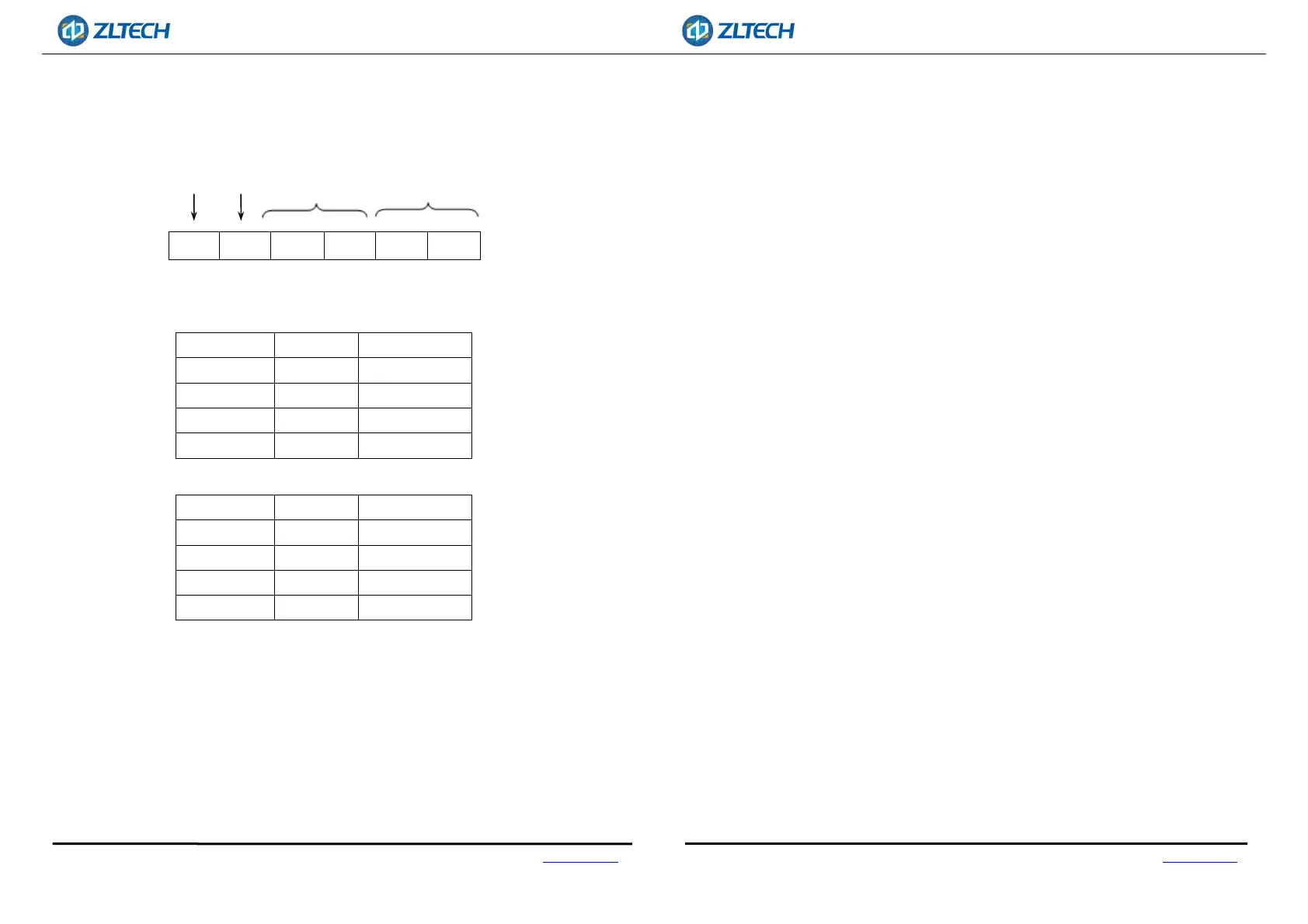
ZLAC8015 driver uses a 6-digit DIP switch to set the terminal resistance and driver
address. The details are as follows:
SW1 SW2 SW3 SW4 SW5
SW6
4.1. STEP RESOLUTION SETTINGS
A. CAN Address
SW3 SW4 Address
OFF OFF Custom
ON OFF 1
OFF ON 2
ON ON 3
B. RS485 Address
SW5 SW6 Address
OFF OFF Custom
ON OFF 1
OFF ON 2
ON ON 3
User could use CANOPEN/RS485 bus to control up to 127 ZLAC8015 series drivers at the
same time. The driver communication address is set with a 4-digit DIP switch. The
address setting range is 1-3, where address 0 needs to be set and saved by the driver
software. SW3-SW4(SW5-SW6) switches must be all set to ON.
4.2. TERMINAL RESISTANCE SETTING
User can select whether to incorporate a 120Ω-terminal resistor through this bit.
According to the application, it is generally determined that only the master terminal
and the last slave need to connect a 120Ωterminal resistor.
CAN:
SW1 = OFF, invalid;
SW1 = ON, effective.
RS485:
SW2 = OFF, invalid;
SW2 = ON, effective.
CAN Terminal resistance RS485 Terminal resistance
CAN Address RS485 Address


 To Previous Page