EasyManua.ls Logo

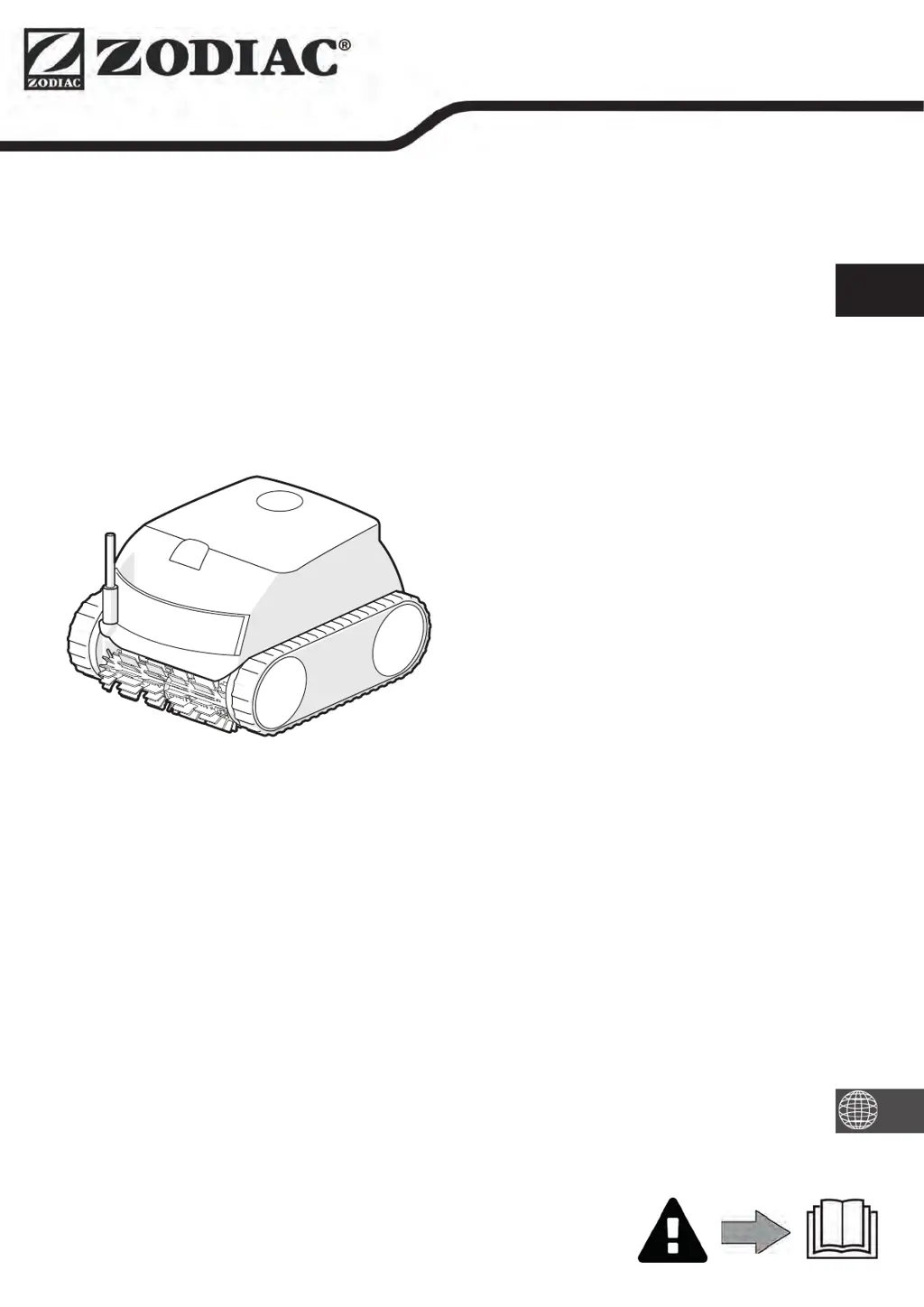
Zodiac CNX 20 Series - User Manual

Zodiac CNX 20 Series
25 pages
Print Icon
To Next Page IconTo Next Page
Loading...
Instructions for installation and use - English
Electric robotic cleaner
Translation of the original instructions in french
H0700300_REVA - 2020/11- EN11-- / EN31--
More documents on:
www.zodiac.com
EN

Questions and Answers

  • T
    Tracy MartinezSep 9, 2025
    What does a red dot mean in the 'My systems' list for Zodiac CNX 20?
    • A
      Amber ShawSep 9, 2025
      If you see a red dot in the 'My systems' list for your Zodiac Vacuum Cleaner, it could mean the appliance isn't plugged in or connected to the home Wi-Fi network. If the dot is red when the control box is plugged in and the Bluetooth/Wi-Fi icons are lit, refresh the screen. If the dot turns green, the appliance is ready for use.
  • B
    Bernard MoranAug 23, 2025
    How to fix part of the pool not correctly cleaned by Zodiac CNX 20?
    • P
      patriciamerrittAug 23, 2025
      If part of your pool is not being cleaned correctly by the Zodiac Vacuum Cleaner, first, repeat the immersion steps, trying different locations in the pool until you find the best spot. Also, check the cable positioning; ensure enough cable is unrolled into the pool and that the remaining cable is laid out by the pool side to avoid limiting the cleaner's movement. Lastly, a full or dirty filter can cause this issue, so be sure to clean it.
  • E
    Elizabeth JohnsonAug 25, 2025
    What to do if Zodiac Vacuum Cleaner does not move on start-up?
    • L
      Lauren LaneAug 25, 2025
      If your Zodiac Vacuum Cleaner does not move on start-up, check that the control box's power socket is receiving power. Also, make sure that a cleaning cycle has been launched and that the lights are on.
  • S
    Shawn PayneAug 26, 2025
    How to fix Zodiac CNX 20 that is not correctly cleaning part of the pool?
    • B
      Benjamin EdwardsAug 26, 2025
      If your Zodiac Vacuum Cleaner is not cleaning part of the pool correctly, try these steps: Repeat the immersion process, varying the location until you find the right spot in the pool. Also, make sure enough cable is unrolled into the pool and the rest is laid out by the pool side to avoid limiting the cleaner's movement. Finally, clean the filter if it's full or dirty.
  • W
    Wendy AvilaAug 27, 2025
    Why Zodiac Vacuum Cleaner stopped climbing the pool walls?
    • C
      Charles CoffeyAug 27, 2025
      If your Zodiac Vacuum Cleaner no longer climbs pool walls like it used to, try the following: Clean the filter if it's full or dirty, and change it if it's clogged. If the tracks are slack or debris is preventing the bypass from operating, contact your retailer to replace the tracks or clean the bypass. If microscopic algae are present, perform shock chlorination and slightly reduce the pH, but do not leave the appliance in the water during shock treatment.
  • J
    Jamie WilliamsAug 29, 2025
    How to fix Zodiac CNX 20 control box that does not respond?
    • C
      Christopher OliverAug 29, 2025
      If the control box of your Zodiac Vacuum Cleaner doesn't respond when you press the buttons, unplug the power cord from the mains socket, wait 10 seconds, and then plug it back in.
  • P
    Patrick SimsSep 17, 2025
    How to troubleshoot pump motor issues in Zodiac CNX 20 Vacuum Cleaner?
    • M
      Michele HarrisonSep 18, 2025
      If the pump motor of your Zodiac Vacuum Cleaner is experiencing issues, check that no debris or hair is blocking the impeller, and thoroughly clean the filter. If the problem continues, contact your retailer for a full diagnosis.
  • J
    Jennifer WatkinsSep 18, 2025
    How to fix traction motor problems on Zodiac CNX 20?
    • E
      Ernest ReyesSep 19, 2025
      If you're experiencing issues with the right or left traction motor of your Zodiac Vacuum Cleaner, make sure debris or the cable isn't preventing the brushes or tracks from rotating freely. Also, check that nothing is interfering with the cable connection area. Rotate each wheel by a quarter of a turn in the same direction until it rotates smoothly. If these steps don't resolve the problem, contact your retailer for a full diagnosis.
  • J
    jamielopezSep 7, 2025
    How to untangle the cable of Zodiac CNX 20?
    • E
      Elizabeth ConnerSep 7, 2025
      If your Zodiac Vacuum Cleaner cable gets tangled, unroll as much cable as possible into the pool and lay the remainder by the pool side.
  • M
    mgarrettSep 4, 2025
    How to reset Zodiac Vacuum Cleaner control box?
    • D
      Denise LopezSep 4, 2025
      To address a control box that isn't responding to button presses on your Zodiac Vacuum Cleaner, unplug the power cord from the mains socket, wait 10 seconds, and then plug it back in.

Summary

1 Information before using the appliance

1.1 I Description

Details the components and parts of the robotic cleaner and its accessories.

1.2 I Technical specifications and parts list

Provides detailed technical specifications, dimensions, and included parts for different models.

1.3 I Operating principle

Explains how the robotic cleaner operates autonomously and cleans pool areas.

1.4 I Pool preparation

Outlines necessary pool conditions, water parameters, and pre-cleaning steps.

2 General use

2.1 Immersing the cleaner

Provides instructions on how to safely immerse the cleaner into the pool water.

2.2 Attachment to the base

Details how to connect the cleaner to its base unit for operation.

2.3 I Electricity supply connection

Explains the correct and safe procedure for connecting the cleaner to the power supply.

2.4 I Control box functions

Describes the functions of the control box keys and indicator lights.

2.5 I Starting a cleaning cycle

Guides users on selecting cleaning modes and launching the cleaning cycle.

2.6 I Removing the cleaner from the water

Explains the safe method for removing the cleaner from the pool, with or without Lift System.

2.7 I Good practices after each cleaning operation

Covers filter cleaning, cable management, and proper storage after use.

3 Using the iAquaLink app (for iQ models)

3.1 I First-time cleaner configuration

Steps for initial setup and connection of the cleaner to the iAquaLink™™ app.

3.2 I Available functions in the iAqualink app (on iQ models)

Details remote control, progress monitoring, and other app features for iQ models.

3.2.2 Remote control (depending on the model)

Instructions for using the smartphone as a remote control via the app's joystick mode.

3.2.3 Lift System” mode (depending on the model)

How to activate the Lift System function remotely via the iAquaLink™™ app.

3.2.4 Error messages

Explains how error messages are displayed and how to address them using the app.

3.2.5 Settings Menu

Information on how to access and modify the cleaner's settings through the app.

4 Maintenance

4.1 I Cleaning the cleaner

Instructions for cleaning the exterior of the robotic cleaner.

4.2 I Cleaning the filter

Detailed steps for cleaning the filter to ensure optimal performance.

4.3 I Cleaning the impeller

Procedure for accessing and cleaning the impeller to ensure proper function.

4.4 I Replacing the brushes

Guide on how to identify worn brushes and replace them correctly.

5 Troubleshooting

5.11 Appliance behaviour

Troubleshooting guide for common issues like incomplete cleaning or poor floor grip.

5.21 User alerts

Explanation of control box LED indicators and corresponding troubleshooting steps.

5.31 Troubleshooting the connection to the iAquaLink app

Steps to resolve issues with connecting the cleaner to the iAquaLink™™ app and Wi-Fi.

Zodiac CNX 20 Series Specifications

General IconGeneral
TypeRobotic Pool Cleaner
Pool TypeIn-ground
Wet MoppingNo
Auto RechargeNo
Virtual BoundaryNo
Multi-floor MappingNo
ModelCNX 20 Series
Battery TypeRechargeable
ConnectivityNo

Related product manuals