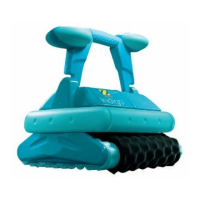
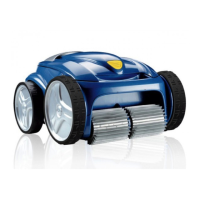
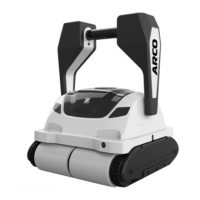
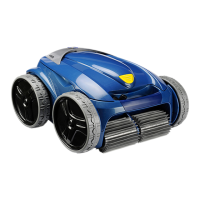
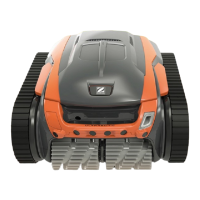
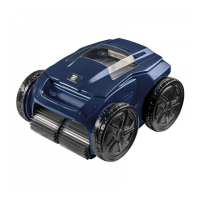
This document provides comprehensive instructions for the installation, use, and maintenance of a Zodiac electric robotic cleaner, designed for pools and spas. It emphasizes safety warnings, operational guidelines, and troubleshooting tips to ensure optimal performance and longevity of the appliance.
Function Description
The Zodiac electric robotic cleaner operates autonomously, independent of the pool's filtration system. Its primary function is to clean the pool by moving around and sucking in debris, which is then stored in its internal filter. Depending on the model, it can clean the pool floor, walls, and waterline. The cleaner is powered by a direct connection to the mains supply via a control box. For certain "iQ models," the cleaner can also be controlled and monitored via the iAquaLink™ app on a smartphone or tablet, offering advanced functions and troubleshooting assistance.
Usage Features
Immersion and Operation:
To begin, the cable should be fully unrolled alongside the pool to prevent tangling. The cleaner is immersed vertically into the water, and gently moved in all directions to release trapped air. Enough cable must be unrolled into the pool to allow full coverage, with the remainder laid by the poolside. The cleaner is designed to operate in water temperatures between 10°C and 35°C, with a pH between 6.8 and 7.6, and a free chlorine level below 3 mg/l. It is crucial to remove large debris with a net before operation to optimize performance and to remove any thermometers, toys, or other objects that could damage the appliance.
Control Box Functions:
The control box serves as the primary interface for managing the cleaner. It features keys to start and stop cleaning cycles, change the "Surface to be cleaned" mode (e.g., "Floor only" or "Floor + walls + waterline"), set up the iAquaLink™ connection, and activate the Lift System mode. Indicator lights on the control box provide visual feedback on the activated cleaning mode, Bluetooth™ connection status, and Wi-Fi connection status.
Cleaning Modes:
The cleaner offers different cleaning modes that define the surface to be cleaned and the duration of the cycle. By default, a "Floor + walls + waterline" mode is pre-configured. The cleaning cycle can be modified before or during operation, with any changes immediately taking effect and resetting the remaining time. For dual-filtration models, it is recommended to launch several cycles without the very fine debris filter for initial pool pre-cleaning.
iAquaLink™ App (for iQ models):
For iQ models, the iAquaLink™ app provides enhanced control and monitoring capabilities. Users can start/stop cleaning, view the remaining cleaning time, adjust the cleaning time in 15-minute sequences, and select pre-saved cleaning modes. The app also offers a "Joystick mode" for remote control, allowing users to move the cleaner forwards, backwards, left, or right. The "Lift System" function, accessible via the app, facilitates easy removal of the cleaner from the water by guiding it to the wall and expelling water to make it lighter. The app also displays error messages and provides troubleshooting solutions.
Removing the Cleaner:
When removing the cleaner from the pool, it is essential to use only the handle to prevent damage. For models without the Lift System, the appliance is switched off, gently pulled to the edge by the floating cable, and lifted out so that water drains back into the pool. For models with the Lift System, the function can be activated via the control box or the iAquaLink™ app. The cleaner will move towards the wall, climb it, and remain at the waterline, expelling water to lighten itself for easier removal.
Maintenance Features
Post-Cleaning Practices:
After each cleaning cycle, it is crucial to clean the filter immediately to prevent debris from drying and impacting performance. The filter should be cleaned with clean water. If the filter becomes blocked, an acid solution (like spirit vinegar) is recommended for cleaning at least once a year, especially after periods of non-use. To prevent cable tangling and ensure better pool coverage, the cable should be untangled and laid out in the sun to regain its original shape.
Storage:
The cleaner and its components should be stored away from direct sunlight, humidity, and bad weather. The cleaner should be placed vertically on its trolley (if available) to dry quickly. The cable should be carefully rolled up and placed on the trolley handle or a wall mount for storage. If the floating cable is disconnected from the control box, the protective cap should be screwed back on.
Cleaning the Cleaner:
The appliance itself should be cleaned regularly with clean or slightly soapy water, avoiding solvents. It must be thoroughly rinsed with clean water and not left to dry in the sun by the pool. To maintain optimal performance and integrity, the filter and brushes should be replaced every two years. The wear indicator on the tracks should be regularly checked, and the tracks replaced as soon as the indicator is reached.
Cleaning the Impeller:
To clean the impeller, the cleaner must first be disconnected from the power supply. The filter access hatch is opened, and the filter removed. A screwdriver is used to loosen the flow guide by turning it anti-clockwise, then unscrewed by hand and removed. Wearing gloves, the impeller is firmly pulled out. Any debris such as leaves or stones blocking the impeller should be removed. After cleaning, the impeller and filter are reinserted firmly.
Replacing the Brushes:
Brushes should be replaced when their wear indicators match the example of a worn brush. To replace, the tabs fastening the worn brushes are removed from their holes. New brushes are fitted by placing the side without tabs under the brush holder, rolling the brush around its support, sliding the tabs into the attachment holes, and pulling until the edge passes through the slit. Finally, the tabs are cut level with the other blades using scissors.
Troubleshooting:
The manual provides a detailed troubleshooting guide for common issues such as incomplete pool cleaning, the cleaner not staying on the pool floor, inability to climb walls, or failure to start. It also addresses cable tangling and unresponsive control box buttons. For iQ models, user alerts and connection errors related to the iAquaLink™ app are explained, with solutions ranging from checking cable connections and filter cleanliness to refreshing the app or contacting the retailer. In case of persistent problems, contacting a qualified technician or the retailer is advised.


 To Next Page
 General