14
❸ Use
3.1 I Opera ng principle
The fi ltra on pump forms the core of the pool and is essen al as it is used to circulate water through the pool’s diff erent
components, in par cular the fi lter.
Its motor drives the turbine in rota on, which drives the water. The large strainer of the pre-fi lter collects major debris
to prevent the fi lter from becoming clogged too quickly or from becoming damaged.
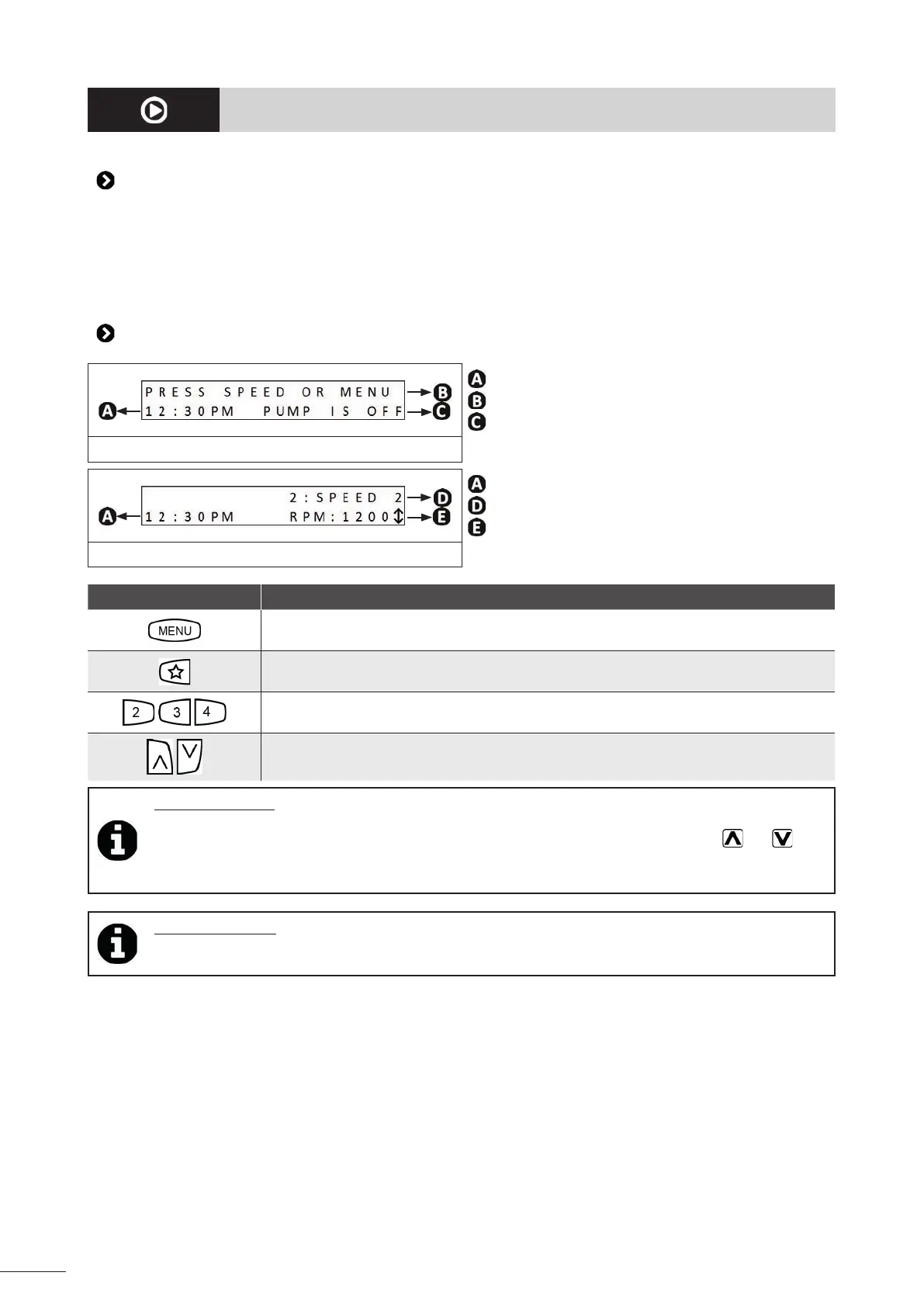
3.2 I User interface presenta on (depending on the model)
: Time
: To ac vate a speed
: Pump status
Pump off
: Time
: Name of the ac ve speed
: Pump speed
Pump on
Symbol Descrip on
• Menu access bu on
• Confi rm a selec on
• Pre-set "eStar" speed bu on (1,750 rpm)
• Sub-menu back bu on
• Pre-set speed bu ons
• Rota onal speed modifi ca on keys
• Menu browser key (press and hold to scroll through the values at increasing speed)
Tip: pump displays
• RPM = rota ons per minute
• ↕ = indicates that the speed can be increased or reduced in intervals of 10 rpm using the
and keys.
• To change the screen's display language, see § "3.5 I Addi onal user func ons (model with interface
only)"
Tip: saving se ngs
The user interface has a ba ery that is used to save the me and recorded se ngs in its memory when the
pump is disconnected from the power supply.


 To Next Page