17
EN
3.5 I Addi onal user func ons (model with interface only)
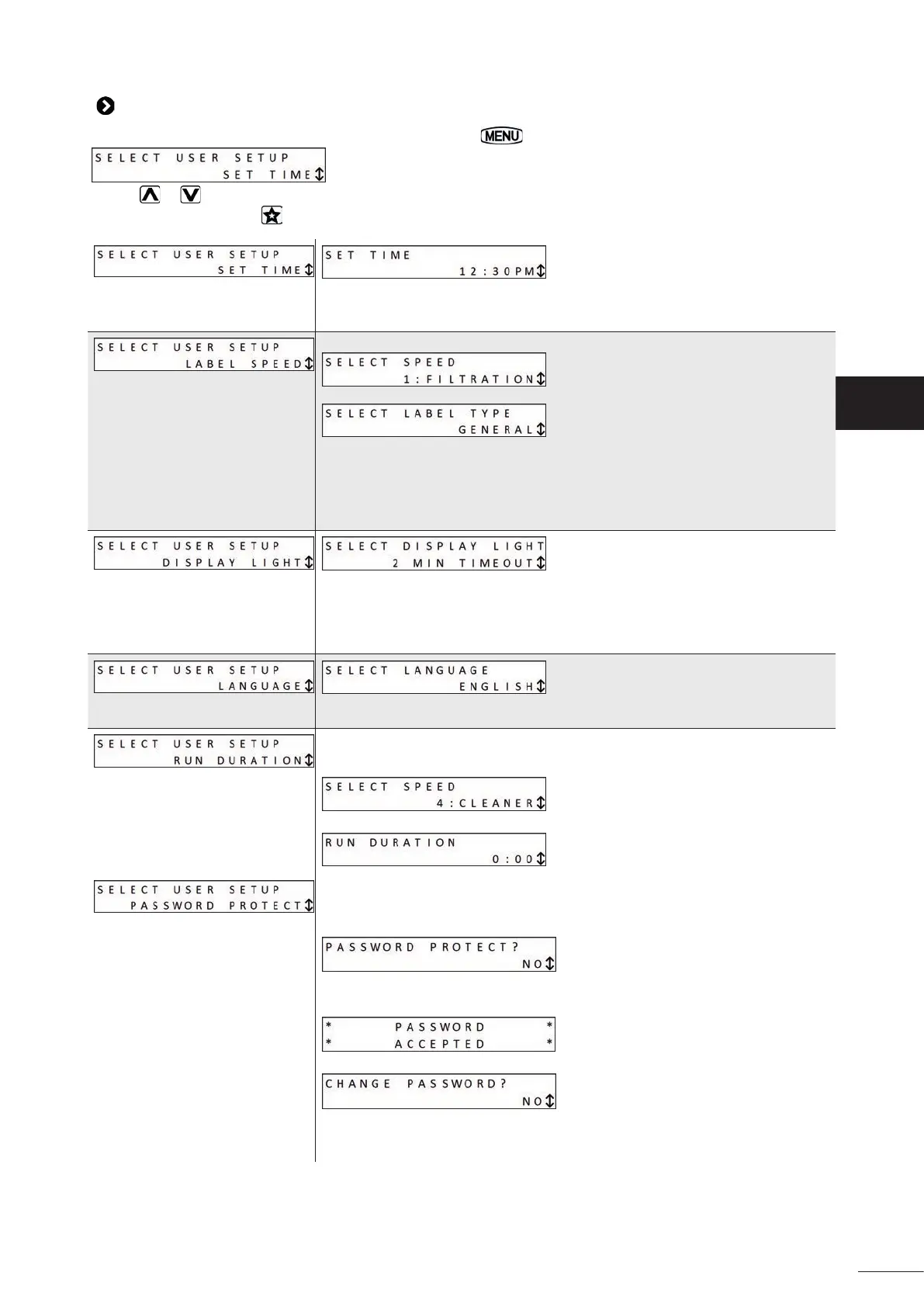
To access the user menu when the pump is off , press and hold for 5 seconds:
Use the or keys to browse the menu.
To exit the menu, press the
key or refrain from performing any ac ons for 1 minute.
The me must be set in order to use the "Timer" func on.
AM = before midday (ante meridiem)
PM = a er midday (post meridiem)
To select the speed number that you want to label:
Then select labelling mode:
The "General" se ng proposes a list of names:
- Filtra on, - Cleaning,
- Spa, - Spa Jets,
- Hea ng, - Cascade,
- Water curtain - Water anima on.
The "Custom" se ng allows you to enter a name.
To confi gure the screen's back-ligh ng se ngs:
- 2 min me delay = turns off the back ligh ng a er the user interface has been
idle for 2 minutes
- Light off : screen not back-lit
- Light on: screen permanently back-lit
To choose the interface language: English, Spanish, French, German, Italian or
Dutch.
To choose how long the speed will run in the event of manual start-up (not on
Timer), available for speeds 3 and 4 only.
To choose the desired speed:
To set the opera ng me (up to 8 hours in 30-minute intervals):
MDP = password
Used to protect access to the user menu with a 4-digit password. This protec on
will only ac vate a er the user interface has been idle for 10 minutes.
To select the desired func on:
- YES = Password-protected
- NO = not password-protected, the user menu can be accessed by all users
All 4 digits must be entered to confi rm the password:
To deac vate or change the password, return to the menu:
- NO: the password is unchanged and protec on is ac vated
- DELETE: deac vate password protec on
- CHANGE: change the password


 To Next Page