27
FLOW TEST
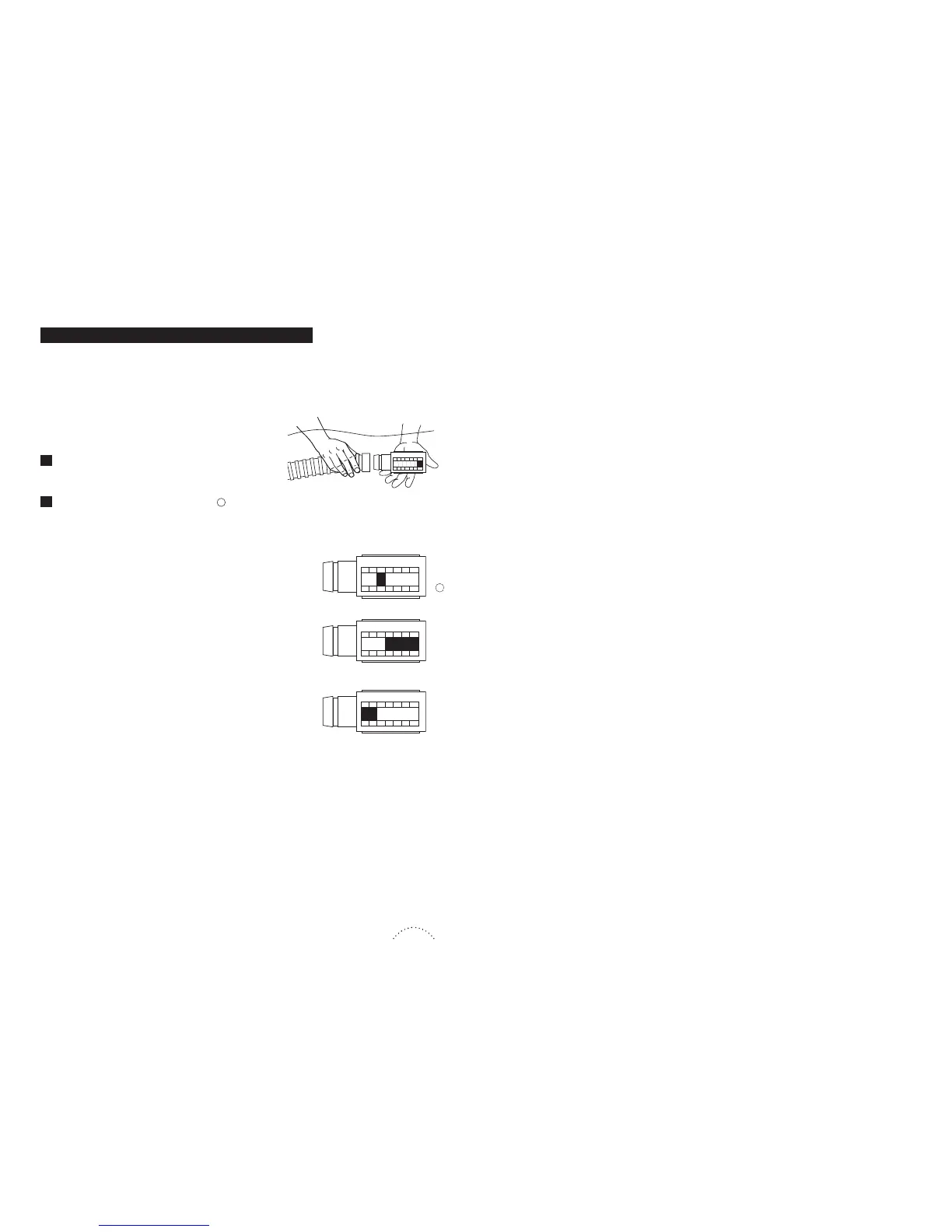
You can always check the flow rate, particularly if you
have doubts about the suction power of your pump.
“Ideal” : The red flap valve is on level 4
the flow rate is ideal for running your SUPER G+. Remove the
tester and connect the appliance to the hose.
”Min” : The red flap valve is below level 4
increase the flow by closing the valve or flap of the skimmer or
skimmers until the tester indicator moves into the ideal zone.
Remove the tester and connect the appliance to the hose.
“Max” : The red flap valve is above level 4
reduce the flow by opening the valve or flap of the skimmer or
skimmers until the tester indicator moves into the ideal zone.
Remove the tester and connect the appliance to the hose.
N.B. : all these operations must be carried out under water
so that the pump does not take in air.
Remove the SUPER G+ from the hose and replace
with the pool pulse
!
.
Note the zone indicated on the tester :



 To Next Page