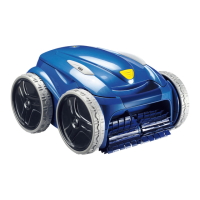
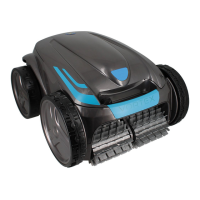
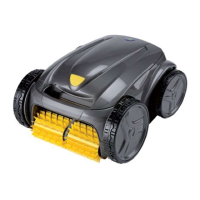
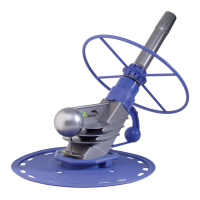
This document describes a battery-powered electric pool cleaner from Zodiac, designed for autonomous operation in pools and spas. The cleaner is independent of the pool's filtration system and, once charged, can navigate and clean various areas of the pool, including the floor, walls, and waterline, or just the floor, depending on the selected mode. Debris is sucked into and stored in the cleaner's filter.
Function Description
The Zodiac pool cleaner is designed to provide efficient and autonomous cleaning of swimming pools. It operates on a rechargeable Li-ion battery, eliminating the need for a continuous power connection during operation. The cleaner features a dual filtration system (150/60 µ) and an optional single filtration (100 µ) to capture various sizes of debris. Its movement strategy adapts to the chosen cleaning mode to optimize coverage.
The cleaner can be controlled either directly via an interface on its rear or through the iAquaLink™ app on a smartphone or tablet. The rear interface allows users to select cleaning modes (Floor only, or Floor + walls + waterline) and initiate cleaning cycles. Indicator lights on the cleaner provide status updates on battery charge, active cleaning mode, cleaner operational status, and Wi-Fi connection.
For enhanced control and additional features, the iAquaLink™ app offers more cleaning modes, such as "Waterline" and "Smart" mode (with automatic time adjustment). The app also provides troubleshooting assistance, displays the cleaner's charge level, and facilitates easier removal from the pool by notifying users when the cleaner is waiting at the waterline.
The charging station, which needs to be assembled, is used to recharge the cleaner. It should be placed in a dry, well-ventilated area, away from direct sunlight, heat, ignition sources, pool chemicals, and out of reach of children and pets. The charging station's indicator light shows its power status and whether the cleaner is charging.
Usage Features
Before first use, the cleaner must be fully charged for 3 to 4 hours. The charging process is indicated by a blinking orange light that turns steady green when complete. Charging stops automatically.
To start a cleaning cycle, ensure the cleaner is fully charged. Remove it from the charging station and select the desired cleaning mode using the cursor on the cleaner's rear. The indicator corresponding to the chosen mode will light up. Once the cycle is initiated, immerse the cleaner vertically into the water, moving it slightly to release trapped air, and allow it to sink to the bottom. The cleaning cycle will begin within 40 seconds of detecting water.
For optimal performance, especially when commissioning the pool or after winter storage, it is recommended to run several cleaning cycles in "Floor only" mode after removing large debris with a net. Regular use (up to 3 cycles per week) helps maintain pool cleanliness and reduces filter clogging. For a rough clean, the debris filter can be temporarily removed.
When removing the cleaner from the water, it will typically climb to the waterline during the last ten minutes of a cycle (in "Floor + walls + waterline" mode) and wait to be retrieved using its handle. If not retrieved at this time, it will stop at the foot of a side. A pool pole with a hook (supplied) can be used to catch the handle and raise the cleaner to the surface. The cleaner expels water through a rear jet to make it lighter for removal. The iAquaLink™ app can send push notifications to alert users when the cleaner is ready for retrieval.
Maintenance Features
Regular maintenance is crucial for the cleaner's longevity and optimal performance. All parts detailed in the maintenance section should be inspected monthly.
-
Cleaning the cleaner and charging station: The appliance should be cleaned regularly with clean or slightly soapy water, avoiding solvents. The charge plates on both the cleaner and the charging station must be cleaned regularly with a cloth or the scouring side of a kitchen sponge and fresh water, avoiding metal sponges, metal brushes, solvents, or salt water. The appliance should be thoroughly rinsed with clean water and not left to dry in direct sunlight.
-
Cleaning the filter: The filter should be cleaned with clean water after each cleaning cycle to prevent reduced performance due to clogging. For first-time use or after winter storage, use the fine debris filter (black). If the filter is clogged, an acidic solution (like spirit vinegar) can be used for cleaning, recommended at least once a year.
-
Cleaning the brushes and centre bridge: Brushes and the centre bridge (between the two brushes) should be cleaned in clean water immediately after removing the cleaner from the pool, before debris dries. Any trapped objects or debris should be removed.
-
Cleaning the cover seal: The cover seal should be cleaned in clean water after each cleaning cycle to prevent debris (especially sand) from compromising its waterproofing.
-
Cleaning the propeller: Before cleaning the propeller, ensure the cleaner is in OFF mode (no indicator lights). Open the filter access hatch, remove the filter, and unscrew the flow guide. Wear gloves to firmly pull out the propeller and remove any debris (leaves, stones, etc.) blocking it. After cleaning, firmly push the propeller back, screw in the flow guide, and refit the filter. Place the cleaner on the charging station to wake it up.
-
Replacing the brushes: Brushes should be replaced if wear indicators are visible. To replace, remove the worn tabs from their holes, then fit the new brush by sliding the side without tabs under the brush holder, rolling it around its support, sliding the tabs into the attachment holes, and pulling until the edge passes through the slit. Cut the tabs to be level with other blades.
-
Replacing the battery block: The cleaner's battery block should only be replaced by a qualified professional.
-
Winterising: Before winterising, fully charge the cleaner to preserve battery life. Ensure the cleaner and charge plates are clean and dry. Do not leave the cleaner uncharged, in water, or exposed to fire, excessive temperatures, ignition sources, or pool/spa chemicals. Store all elements away from sunlight, humidity, and bad weather, out of reach of children and pets. The cleaner can remain connected to the charging station or disconnected during wintering, but if disconnected, it must be recharged before the next season.


 To Next Page
 General