22
The alarm system can be armed or disarmed by SMS, by App and by phone call.
By SMS
To arm the system: Send “1” by SMS to the number of your system’s SIM card.
To disarm the system: Send “0” by SMS to the number of your system’s SIM card.
By App
Click no “Arm” in the App to arm the system, and “Disarm” to disarm the system. The app is
available for download on the App Store and Google Play.
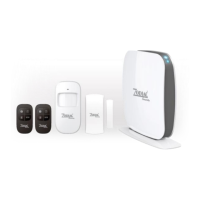
Register wireless accessories
1. Press the connection button at the back of the control panel to enter the Connection mode.
2. Trigger the accessory once within the next 15 seconds. You hear one beep: the registration is
successful.
If the accessory has already been registered, the control panel will beep twice. The first accessory
registered is assigned to zone 1, the second accessory registered is assigned to zone 2, etc. Zone
1 to 9 can be renamed. Zone 10 to 99 cannot be renamed (refer to the instructions on page 26 to
learn how to rename zones).
CONTROL BY PHONE CALL
Method 1
When an alarm has been triggered, the control panel dials the pre-stored phone numbers. When
you pick up the phone, control the panel from distance according to the instructions in the table
below.
Method 2
1. Dial the telephone number of the SIM card in your control panel.
2. Enter your user code, followed by “#”. After each key you press on your phone, you hear one beep of
confirmation. Wait until you have heard this beep of confirmation before pressing the next key.
3. Select the operations to control the panel (see instructions in the table below).
Note
The call will end automatically if you do not send any command within 30 seconds.
Voice Instructions
Command Function Comment
Press “1” Arms the system -
- Disarm the system and turns the Siren off -
Press “0” - Stops monitoring without hanging up -
- Stop the phone call function witout hanging up -
Press “*” Audio monitoring -
Press “6” Turn Siren off -
Press “9” Turn Siren on -
Press “#” Exits control by phone call Or hang up the phone


 To Next Page