33
1. LED Indicator
2. Detection window
3. Bracket
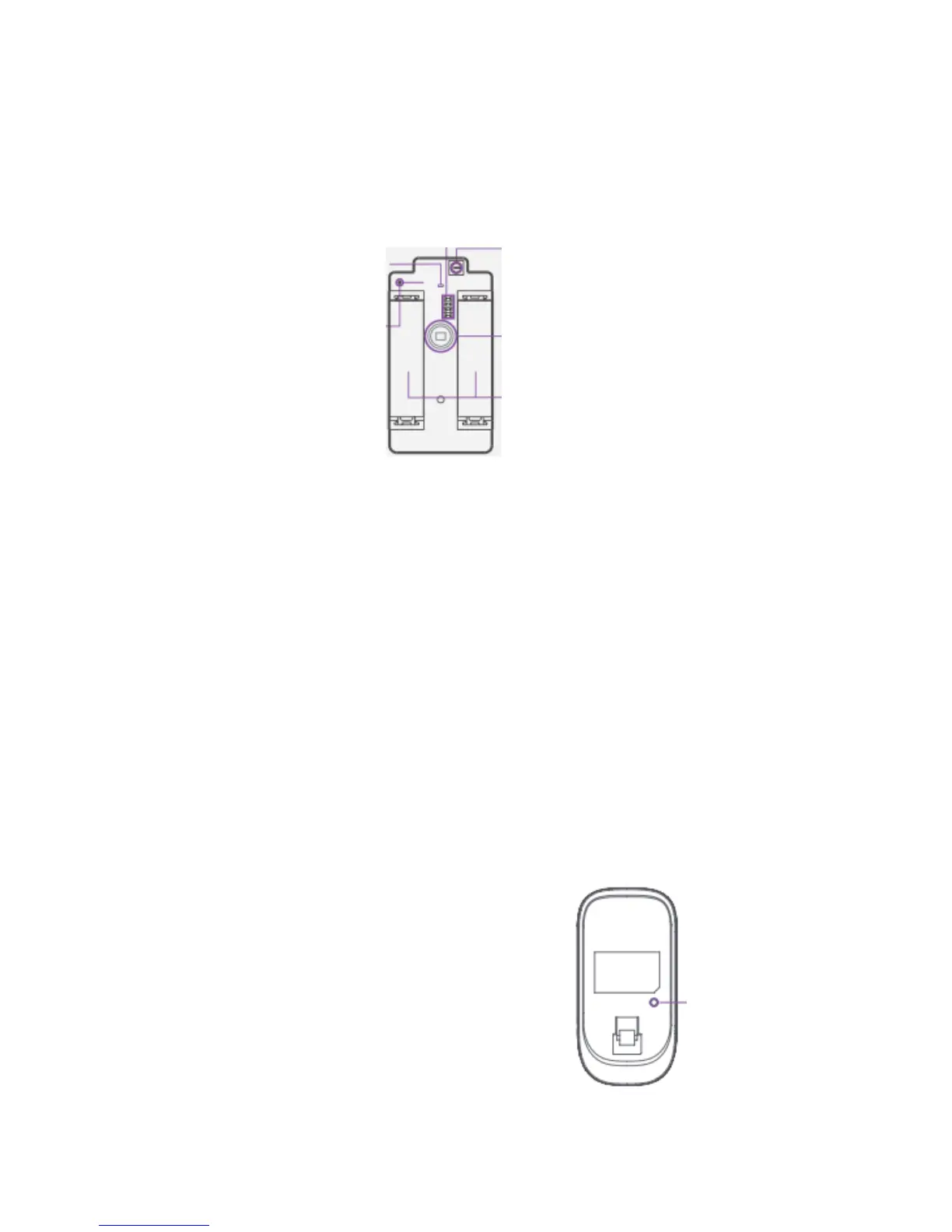
PCB Layout
Alarm zone setup
LED working indicator Tamper switch *
Antenna Infrared sensor **
AA 1.5V LR6
* Tamper switch
When the alarm system is armed, the tamper switch will trigger the alarmi f the case is opened.
** Infrared sensor
Detects the infrared rays released by human body motion. Do not touch the surface. Keep the
surface clean.
LED indications
Blinks continuously: self- testing
Blinks once: an intruder is detected
Blinks twice: self- testing is complete; entering working mode.
Blinks once every 3 seconds: under-voltage indication: the batteries must be replaced. (You will be
informed by SMS when the batteries are low if the motion detector is registered in the control
panel).
Usage
Open the case and remove the battery activation strip. Self-testing will start for 30 seconds.
When the sensor is in operation, if it is triggered more than
twice within 3 minutes, it will switch to standby mode to save
power. If no movement is detected within the next 3 minutes,
the sensor goes back to working mode.
Register in the control panel


 To Next Page