30
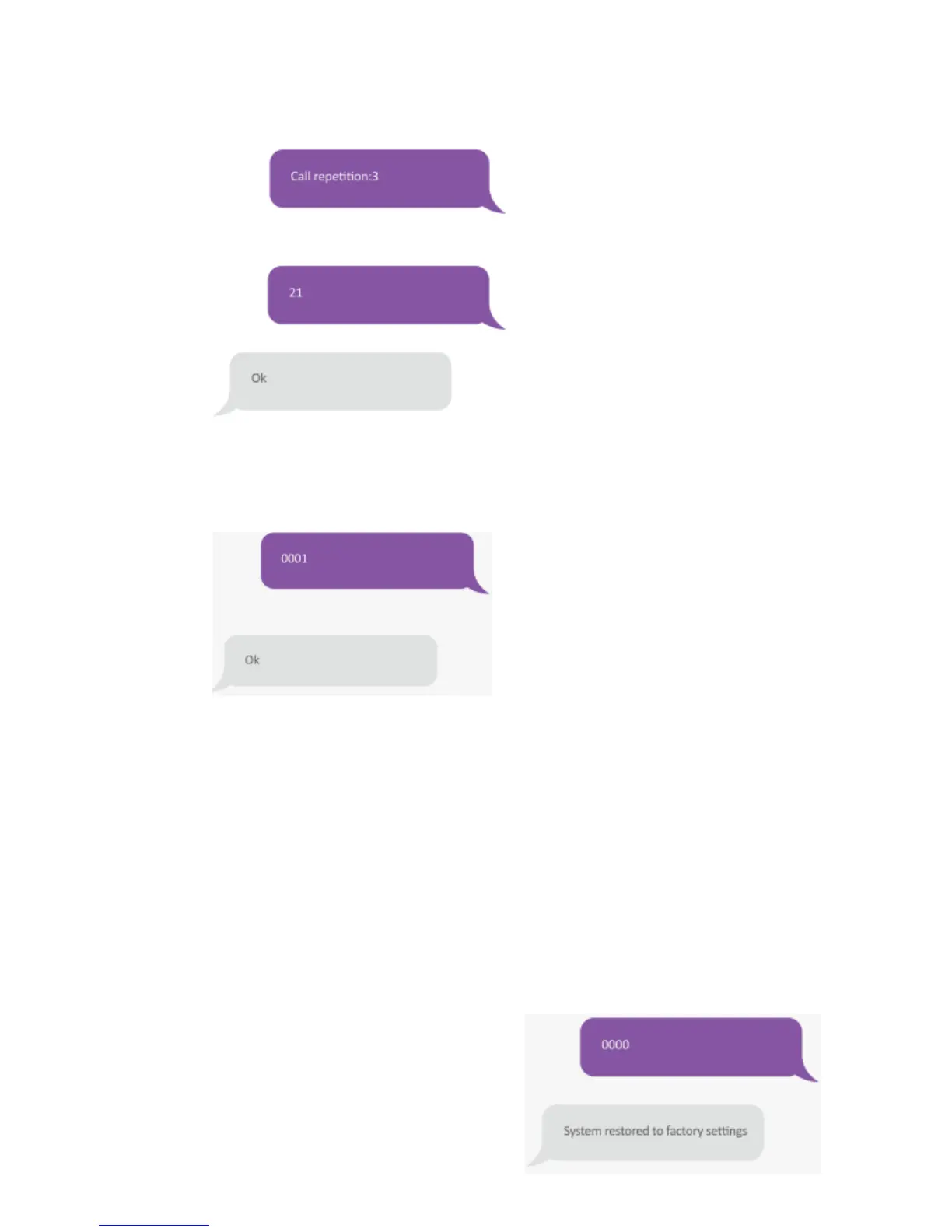
Copy, paste, then Edit (case sensitive):
The number of call repetitions can be set from 1 to 9.
Delete all Wireless Accessories
Send:
Change System Language
Send the code of the language. For example, for English, send “0001”.
Refer to the table below for the full list of languages:
0001 English 0008 German
0002 French 0009 Spanish
0003 Russian 0010 Finnish
0004 Danish 0011 Norwegian
0005 Dutch 0012 Arabic
0006 Italian 0013 Farsi
0007 Swedish
Language available may vary depending on the version of your product.
Restore System of Factory Settings by SMS
Send:
The settings will be restored to default values.
Stored phone numbers and connected accessories


 To Next Page