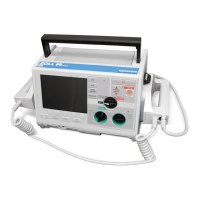
Automated External Defibrillator (AED) Guidelines
Troubleshooting
Manually test by pressing and holding the ON/OFF button for
more than 5 seconds. If unit fails test again, remove from service.
“Change batteries” prompt
Replace all batteries at the same time.
Red “X” in Status Indicator
window OR beeping noise when
unit is OFF
Perform manual test. Check to see if cable is attached properly to
unit. Replace batteries. If unit still does not operate correctly,
remove from service.
Red “X” in Status Indicator
window when unit is ON
Power cycle the unit. If Red “X” is still present in Status Indicator
window, remove unit from service.
Scheduled Monitoring / Maintenance
1. Check the readiness indicator daily.
2. Check the AED according to the manufacturer’s recommended schedule and
documented (Attachment B).
3. Check the Integrity of the case:
a. Examine the molded case of the AED for any visible signs of stress; and,
b. Contact manufacturer’s customer service if the case shows signs of stress.
HB 1433 (Public Law #2009-424), HB 914 (Public Law #2012-198), SB
1269 (Public Law #2000-113), SB 118, 29 CFR 1910.1030, P.L. 104-210
OSHA AED Standards; Zoll AED® Plus product manual, 2015 AHA/ERC
Guidelines AED Defibrillation CPR; NRMPS Bloodborne Pathogens Exposure
Control Plan
NRMPS Accident Report Form, Medical Incident (9-1-1) Form, AED
Maintenance Check Form, AED Training Log
Charnette H. Shade, M.D., Medical Advisor
Superintendent, Nash-Rocky Mount Public Schools














 To Previous Page