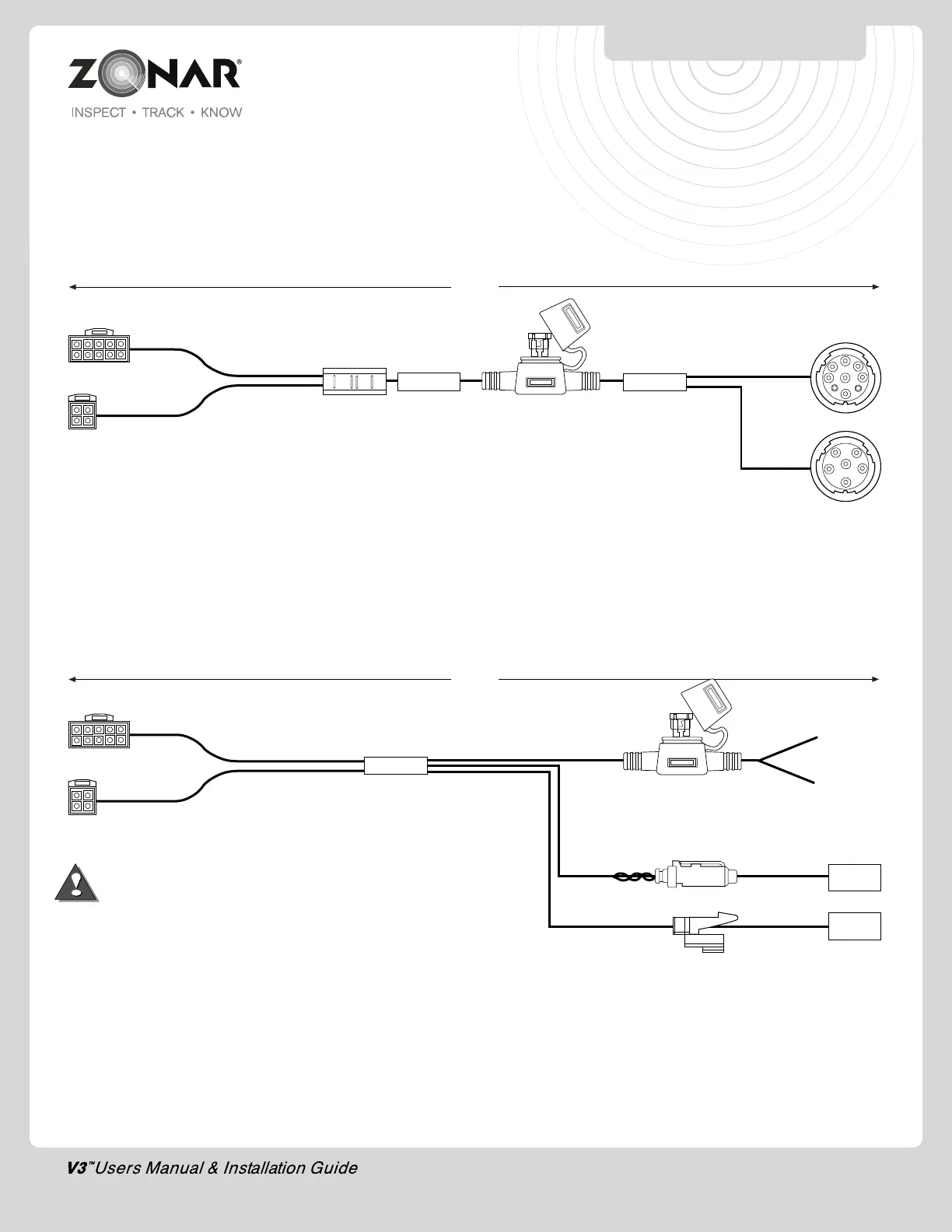
3) MOAC-B P/N 80972:
Use on heavy duty vehicles with JBus
1708/1587 (older), or JBus 1939 (newer) data buses. Connects
to 6 or 9 Pin Deutsch diagnostic port.
Note: Wire tie back and out of the way of the 6 or 9 pin connector
that is not used.
4) MOAC-T P/N 80959:
Use on heavy duty vehicles with JBus
1708/1587 (older) or JBus 1939 (newer) data buses. Connects
to data network backbone.
A) This cable requires specific adapters dependent on
vehicle make/model/year. Contact Customer Care for
additional information
B) Visit www.zonarsystems.com/zsupport for vehicle specific
installation instructions
C) See pages 12-13 for wiring procedures
POWER AND DATA
CONNECTION INFORMATION
11
*Contact Zonar or visit
www.zonarsystems.com/zsupport
for proper adapter to connect to
vehicle.
D) Power Bundle wiring – 4 Pin, 3 wires
1. Red – Constant DC (+8 VDC to +30 VDC)
dependent on system type
2. Black – Ground must be less than 1 ohm (measure
from 4 Pin connector to chassis attachment point)
Note: Wire tie back and out of the way of the data connector that
is not used
.
10 Pin J3 input
4 Pin Power Input
9.83’
To V3™
To 6 or 9 Pin Diagnostic Port
Fig. 11-1
10 Pin J3 input
4 Pin Power Input
20’
To V3
To Vehicle’s JBus
backbone
1708/1587 Red/Blue
1939 Green/Yellow
Constant
Hot
14 Gauge
Ground
20 Gauge
Fig. 11-2
*
*


 To Next Page