
 Need help?
Do you have a question about the Zonar V3 and is the answer not in the manual?
Provides tips for professional installers on hardware installation for optimal performance and longevity.
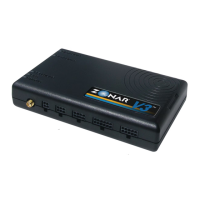
Lists and illustrates the essential hardware components included with the V3 GPS Unit, mounting plate, and optional accessories.
Details optional equipment like the EVIR® Inspection Tool, Vehicle Mount, and Zone/Asset Tags for enhanced functionality.
Specifies optimal placement for the V3 unit, avoiding interference and ensuring accessibility and safety.
Outlines proper electrical connection procedures, emphasizing protected circuits and fused power leads.
Provides guidelines for drilling holes, using grommets, and managing cables to prevent damage and ensure reliability.
Details correct orientation and suggested mounting areas for the V3 unit to ensure GPS signal reception and accessibility.
Identifies and explains the function of each connector port on the V3 unit for various connections.
Explains the connection method using the GPS 4 Pin Cable for non-JBus/OBDII vehicles.
Details connecting via the Light Duty Cable to OBDII diagnostic ports on light-duty vehicles.
Describes connecting via the MOAC-B cable to JBus 1708/1587 or JBus 1939 diagnostic ports.
Explains using the MOAC-T cable for heavy-duty vehicles with JBus data buses, requiring specific adapters.
Details the application and wiring of the GPS 4 Pin Power Cable, including voltage requirements.
Provides instructions on correctly using a DMM probe to test the 4 Pin cable without damaging connectors.
Explains the authorized method of using Add-a-Circuit fuse taps for power termination in fuse panels.
Details the alternative poke and weave method for wiring when fuse taps cannot be used.
Provides guidelines for mounting and positioning the external GPS antenna for optimal signal reception.
Covers the installation of the GPS Vehicle Mount, including retention methods and chip management.
Guides on proper placement and adhesion of Zone and Asset Tags for accurate data collection.
Details the minimum requirements for performing a system check on the GPS unit and its LEDs.
Outlines the minimum checks for the 2010 reader when integrated with the GPS Vehicle Mount.
Lists the operating temperature, input voltage, GPS receiver capabilities, and GSM/GPRS transceiver frequencies.
Provides detailed measurements in inches for the 2010 Handheld Reader unit.
Lists the dimensions in inches for the GPS Vehicle Mount component.
Details the physical measurements in inches for the V3™ device.
Provides the dimensions in inches for the V3™ mounting plate.
Illustrates a typical dashboard installation, emphasizing placement away from metal and radio interference.
Shows correct and incorrect examples for cable bend radius and the importance of using grommets in holes.
Details placement rules for the GPS antenna, including edge clearance and hole preparation.
Provides a wiring diagram showing connections between the V3™ unit, antennas, power, and optional accessories.
Presents a schematic for tapping into switched device control circuits for the discrete I/O inputs.
Illustrates adding a relay controlled by a vehicle circuit to enable correct voltage for discrete I/O inputs.
Details Zonar's warranty periods for hardware, conditions, and exclusions.
Provides compliance statements for FCC and Industry Canada regulations regarding radio frequency emissions.

 To Next Page
 General