Wireless Security Settings
a. Mixed WEP
WEP (Wired Equivalent Privacy) is an encryption method used to protect your
wireless data communications. WEP uses a combination of 64-bit or 128-bit keys
to provide access control to your network and encryption security for every data
transmission.
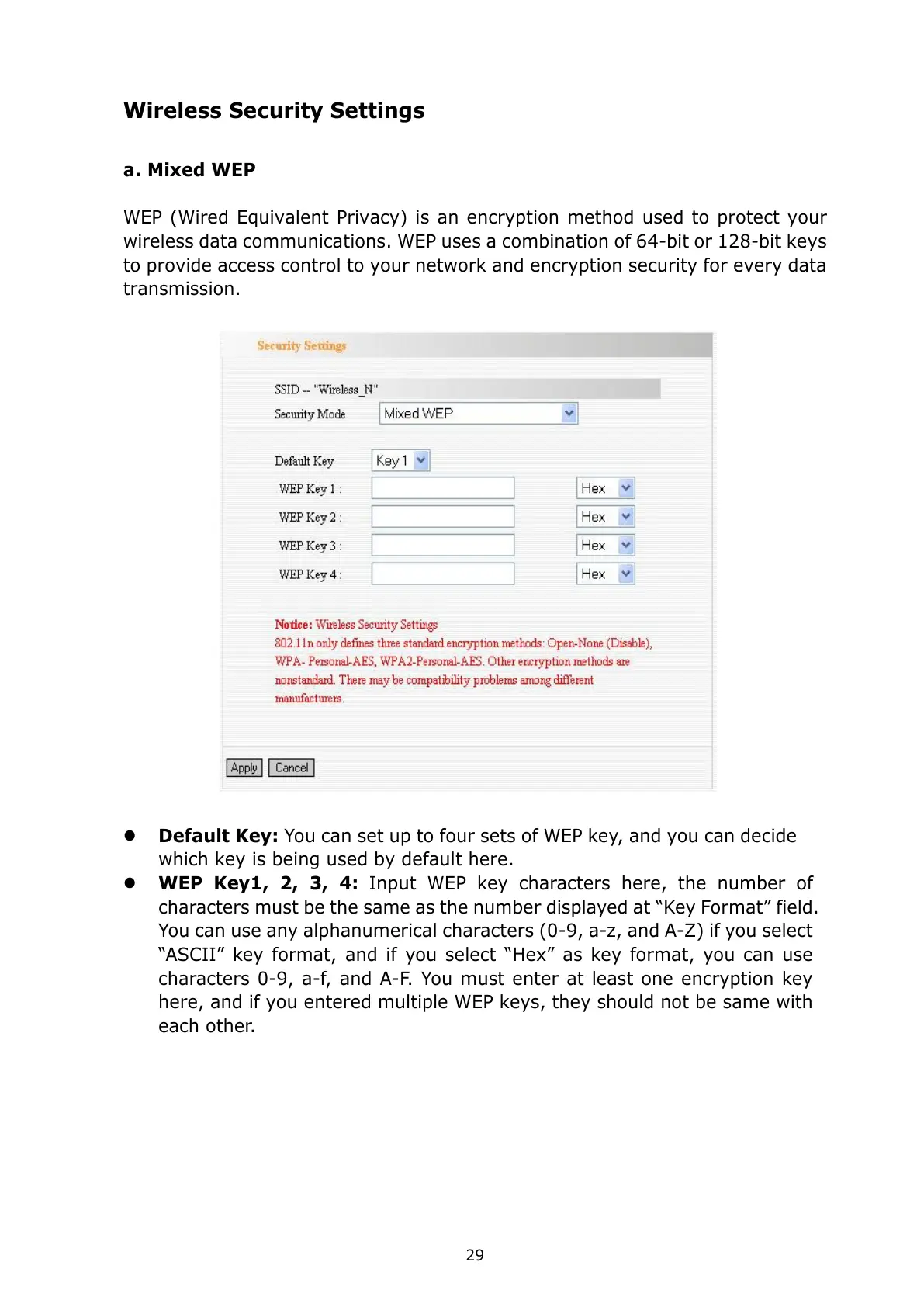
Default Key: You can set up to four sets of WEP key, and you can decide
which key is being used by default here.
WEP Key1, 2, 3, 4:
Input WEP key characters here, the number of
characters must be the same as the number displayed at “Key Format” field.
You can use any alphanumerical characters (0-9, a-z, and A-Z) if you select
“ASCII” key format, and if you select “Hex” as key format, you can use
characters 0-9, a-f, and A-F. You must enter at least one encryption key
here, and if you entered multiple WEP keys, they should not be same with
each other.



 To Next Page