Chapter 8 Virtual Server
Port Range Forwarding
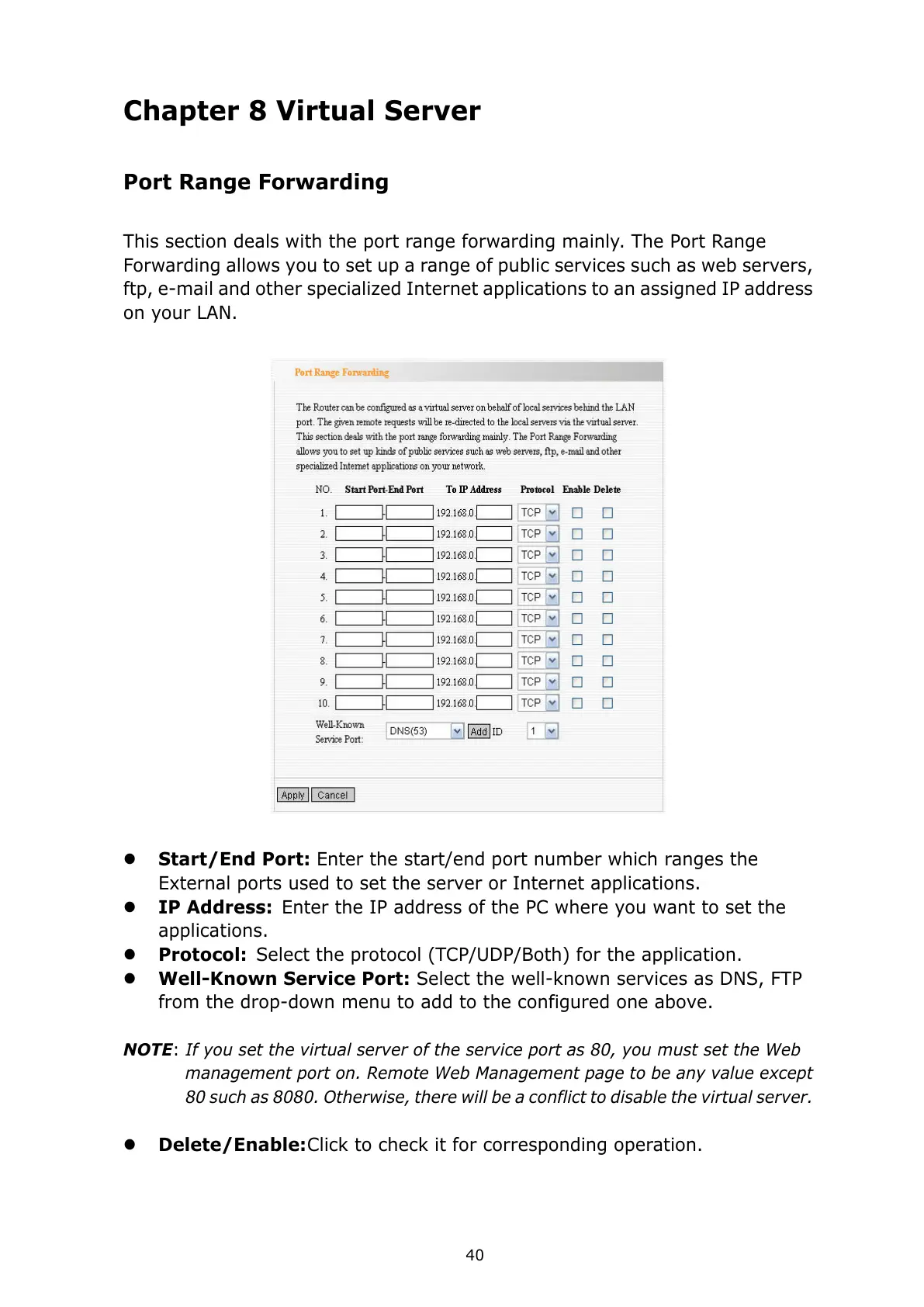
This section deals with the port range forwarding mainly. The Port Range
Forwarding allows you to set up a range of public services such as web servers,
ftp, e-mail and other specialized Internet applications to an assigned IP address
on your LAN.
Start/End Port: Enter the start/end port number which ranges the
External ports used to set the server or Internet applications.
IP Address: Enter the IP address of the PC where you want to set the
applications.
Protocol: Select the protocol (TCP/UDP/Both) for the application.
Well-Known Service Port: Select the well-known services as DNS, FTP
from the drop-down menu to add to the configured one above.
NOTE: If you set the virtual server of the service port as 80, you must set the Web
management port on. Remote Web Management page to be any value except
80 such as 8080. Otherwise, there will be a conflict to disable the virtual server.
Delete/Enable: Click to check it for corresponding operation.



 To Next Page