WDS Settings
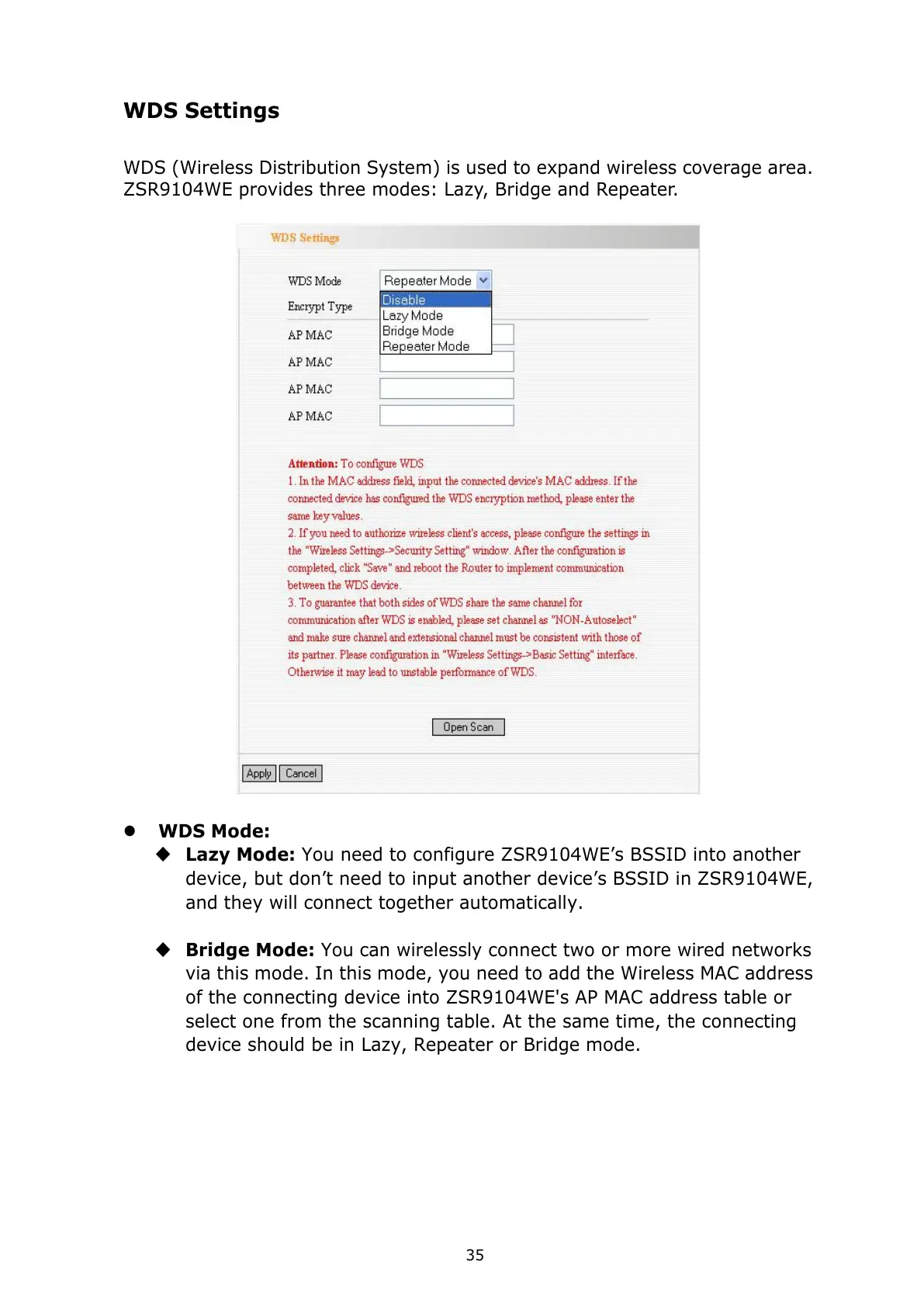
WDS (Wireless Distribution System) is used to expand wireless coverage area.
ZSR9104WE provides three modes: Lazy, Bridge and Repeater.
WDS Mode:
Lazy Mode: You need to configure ZSR9104WE’s BSSID into another
device, but don’t need to input another device’s BSSID in ZSR9104WE,
and they will connect together automatically.
Bridge Mode: You can wirelessly connect two or more wired networks
via this mode.
In this mode, you need to add the Wireless MAC address
of the connecting device into ZSR9104WE's AP MAC address table or
select one from the scanning table. At the same time, the connecting
device should be in Lazy, Repeater or Bridge mode.



 To Next Page