16
Configuration
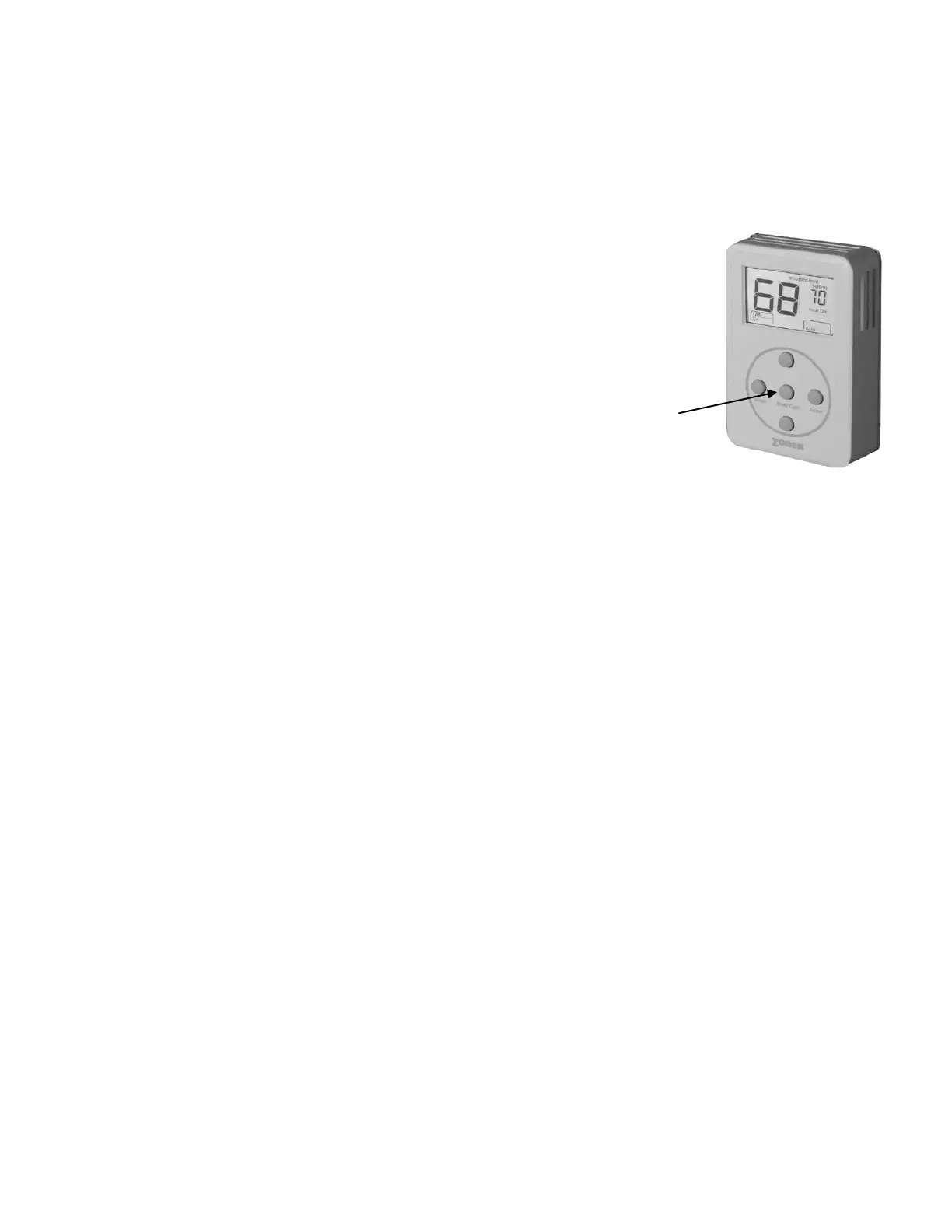
1. Set the unique address for each thermostat from 01 to 20.
2. Press and hold the Menu button until you see the system mode display on the lower right begin
to scroll and change modes; then press and hold the Heat/Cool button with the Menu button.
3. When the display shows “address” and the set point temperature changes to the address
number, press the UP or DN button to raise or lower the number.
MANUAL ADJUSTMENTS
Heat and Cool Set point Display
Press the Heat/Cool button to display the Heat or Cool set point temperatures.
Temperature Set points
COOL Set point
1. Press the Heat/Cool button to display the Cool set point on the upper right.
2. Press the UP or DN buttons to change the Cool set point.
HEAT Set point
1. Press the Heat/Cool button to display the Heat set point on the upper right.
2. Press the UP or DN buttons to change the Heat set point temperature.
FAN Mode
To change the FAN operation to AUTO or On, press the UP and DN buttons together once to
toggle fan operation.
HVAC System Mode
To select Heat, Cool, Auto, Emergency Heat (HP only) or OFF, press and hold the Menu
button; and when the desired mode is displayed, press and hold the Select button; then release
both to confirm mode.
Override
When the system is in the Unoccupied mode, the thermostat provides a 2-hour override for after-
hours system operation. To select the 2-hour override, press the Select button and note “Override”
indicated on the display, along with the backlight coming on. When additional override is required,
press the Select button again.
Calibration
When re-calibration is required, press and hold the Heat/Cool and Select buttons simultaneously
(the screen will flash). Then press the UP button once to increase temperature 1°, or press the DN
button once to decrease the temperature 1°. If additional calibration is required, repeat this step.
Reversing Valve Mode – Heating
DIGIHP (O&B) is factory set at “O” and can be field configured for “B” reversing valve operation.
For “B” mode reversing valve (reversing valve energized in the heat mode), press and hold the
Heat/Cool and Select buttons; then press and release the Menu button once. Release the
Heat/Cool and Select buttons. The ° symbol next to the set point display should disappear.
(To set from “B” to “O”, reverse the procedure.)
THERMOSTAT OPERATION
Display
The grey display backlight is constantly illuminated in the Occupied mode. The display backlight
goes off when in the Unoccupied mode. When in the Unoccupied mode, if any button is pressed,
the backlight will illuminate for 5 seconds. If the thermostat is placed in the override mode, the
backlight will illuminate until the 2 hours times out. To terminate override, press the Select button
again.
COOL – DIGICOM / DIGIHP: The thermostat will make a Y1 cool call when the space temperature
rises 1° above the cool set point. Y2 will energize when the space temperature rises 2° above the
cool set point. When the room temperature is less than 2° above the cool set point, Y2 de-


 To Next Page